Changelog

Follow new updates and improvements to 5MinsAI.

October 2026 Release
This release introduces new assessment types, course Situational Tests creation and sections, reset progress, and a redesigned My Team experience.

What's New

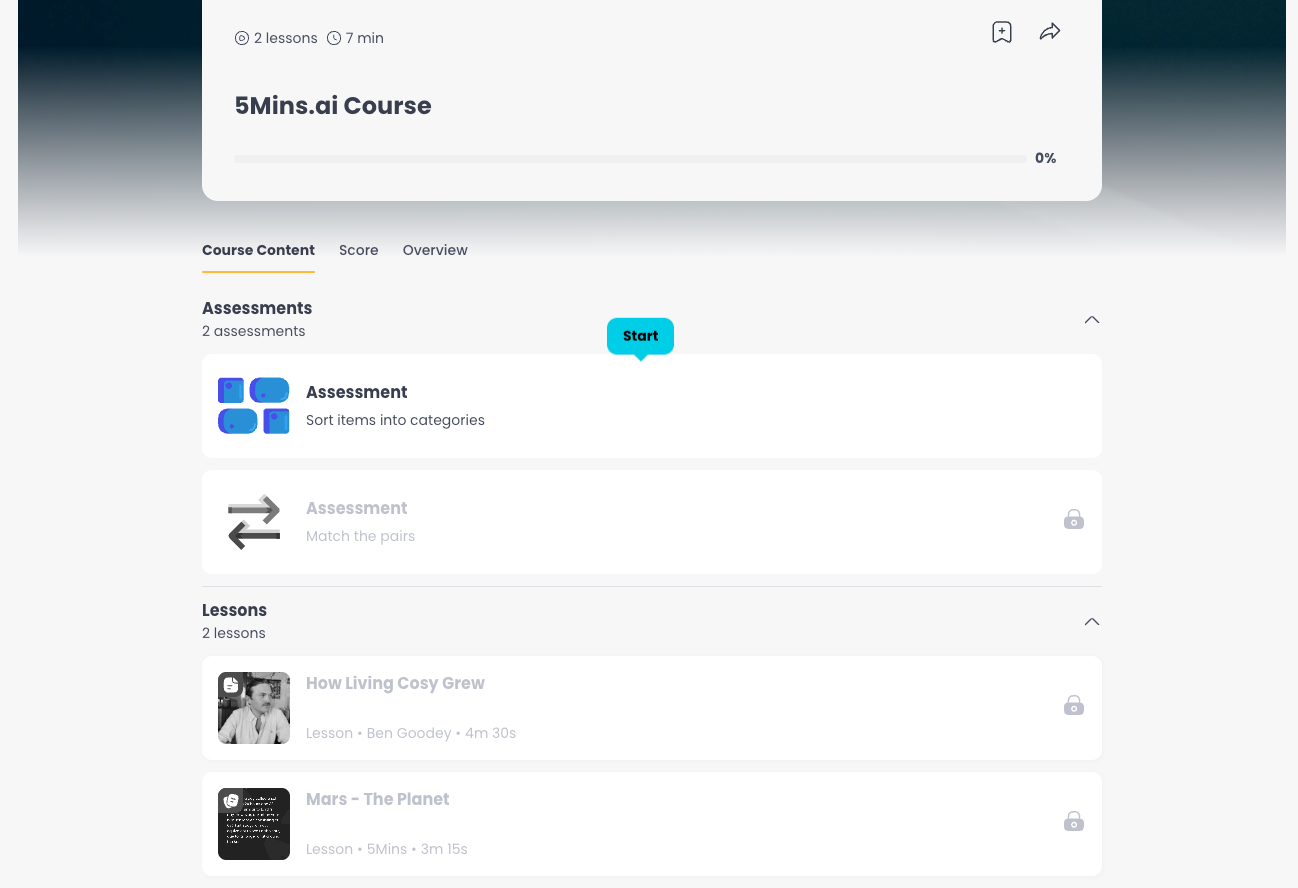
New Assessment Types: Categorise & Match the Pairs - Two new assessment formats are now available when creating courses. Categorise asks learners to sort items into the right groups, and Match the Pairs asks them to connect related items. Both work on web and mobile, and admin results are visible in the Assessments tab.

Course Sections - Admins can now organise course content into collapsible sections. Group related lessons, assessments, and events under named headings to give learners a clearer structure, especially in longer courses.
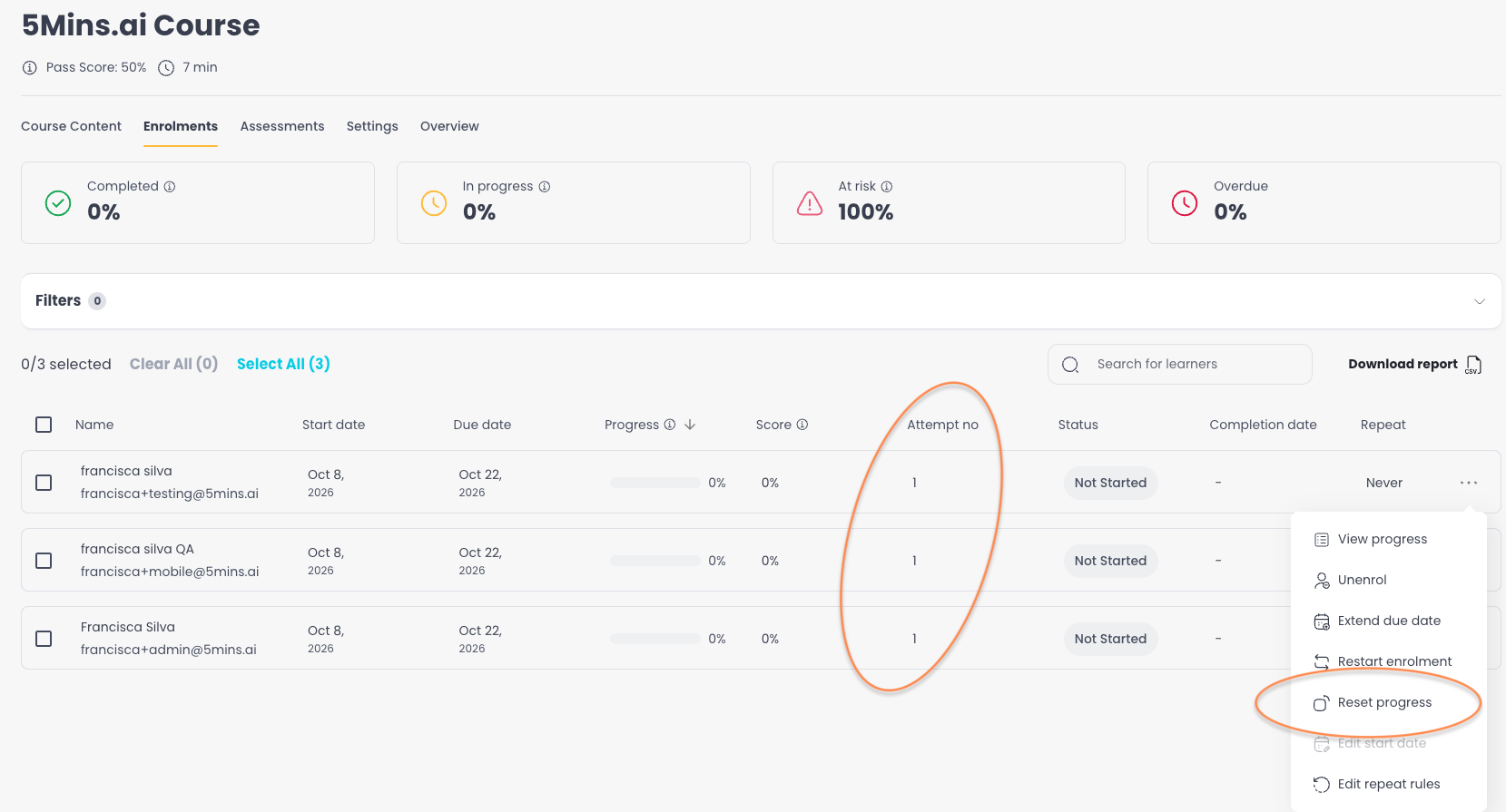
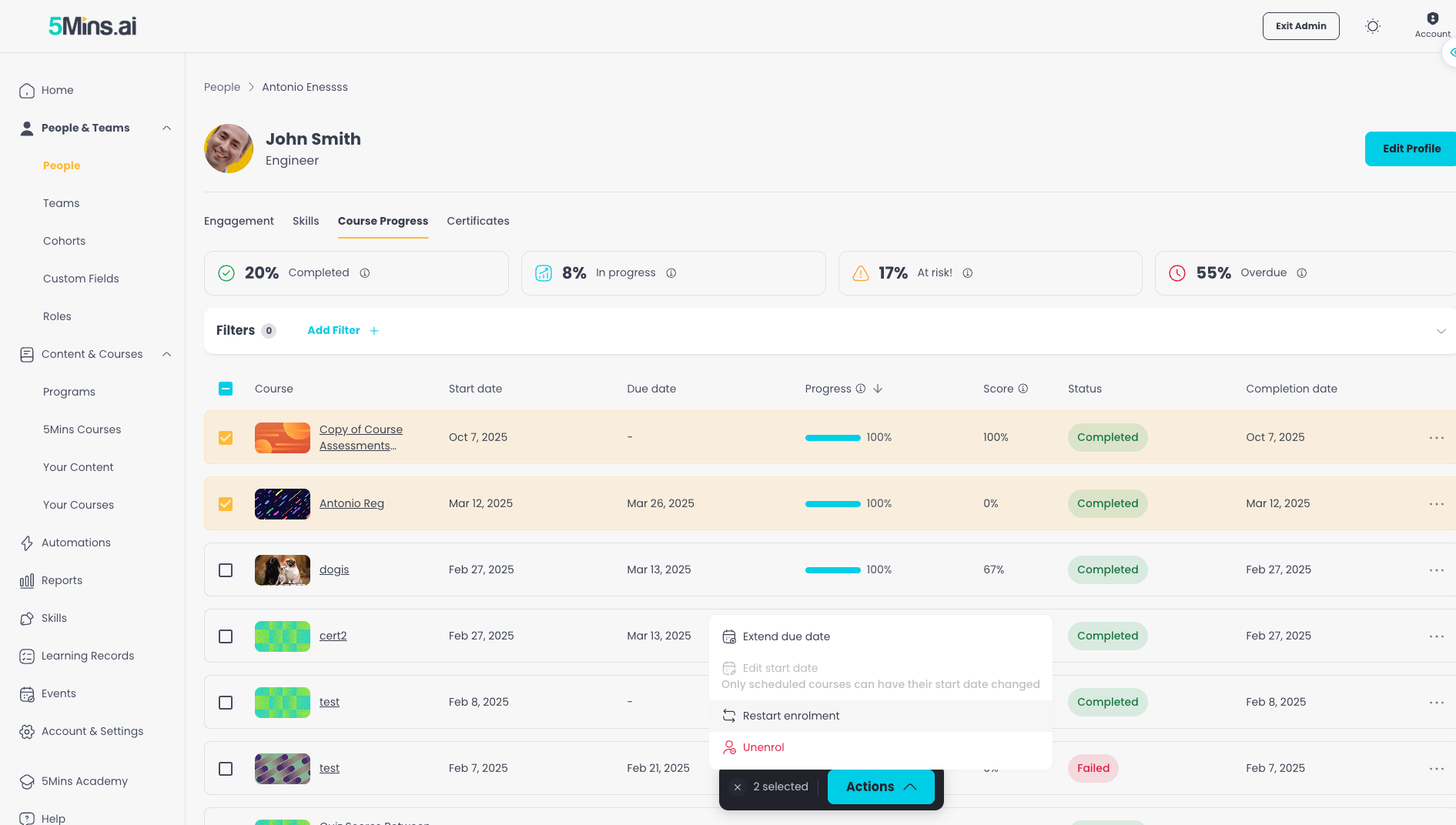
Reset Progress - When a learner has exhausted all quiz retake attempts without meeting the pass score, the system can now automatically reset their progress and open a fresh course attempt within the same enrolment. Admins can also manually reset any learner's progress from the enrolments table. An "Attempt no" column tracks how many attempts each learner has had.
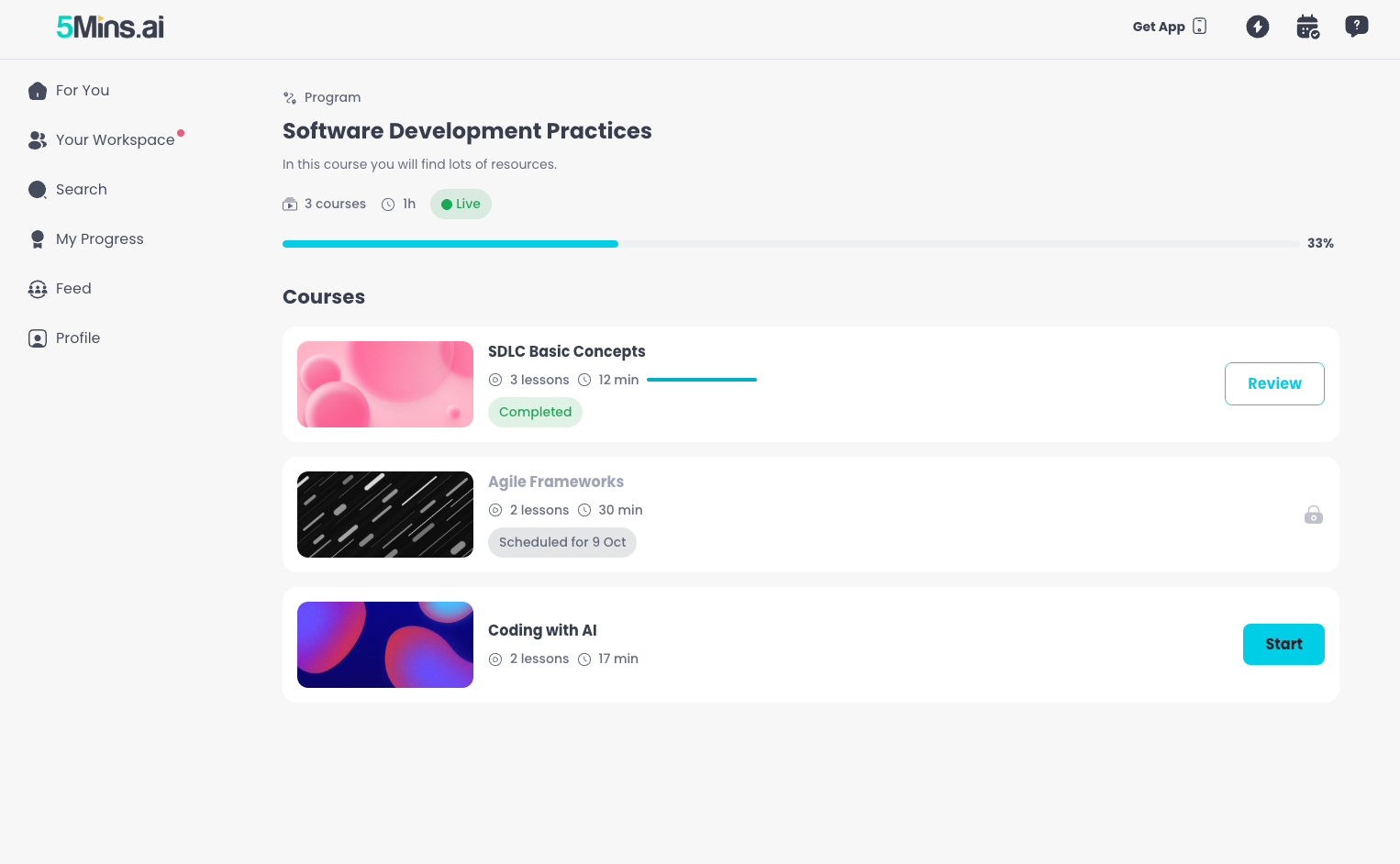
Learning Programs - Programs are now fully available. Admins can bundle courses into a structured journey with defined sequencing and pacing controls. This release adds program banners on the home page, breadcrumbs for navigation, and a learner program page on the mobile app.
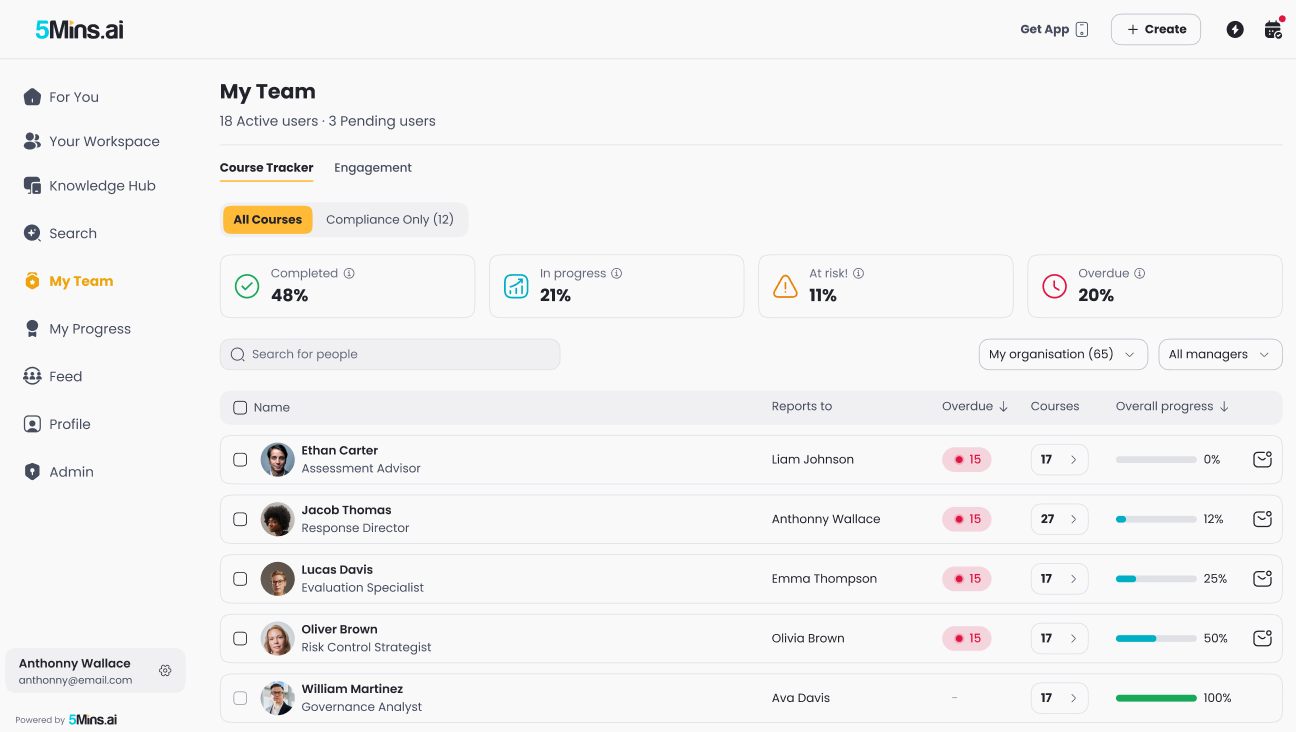
My Team Redesign - The My Team page has been rebuilt with a learner list, overdue column, column sorting, search, filters, and pagination. Managers can open a course-detail drawer for any learner, send reminders individually or in bulk, and toggle between direct reports and their full organisation.
Limited Admin Roles - Admins can now create limited admin roles scoped to specific sections and custom field values. Assign them to users from a new scope editor, restricting what each admin can see and manage.

Course Reminders & Team Progress Update

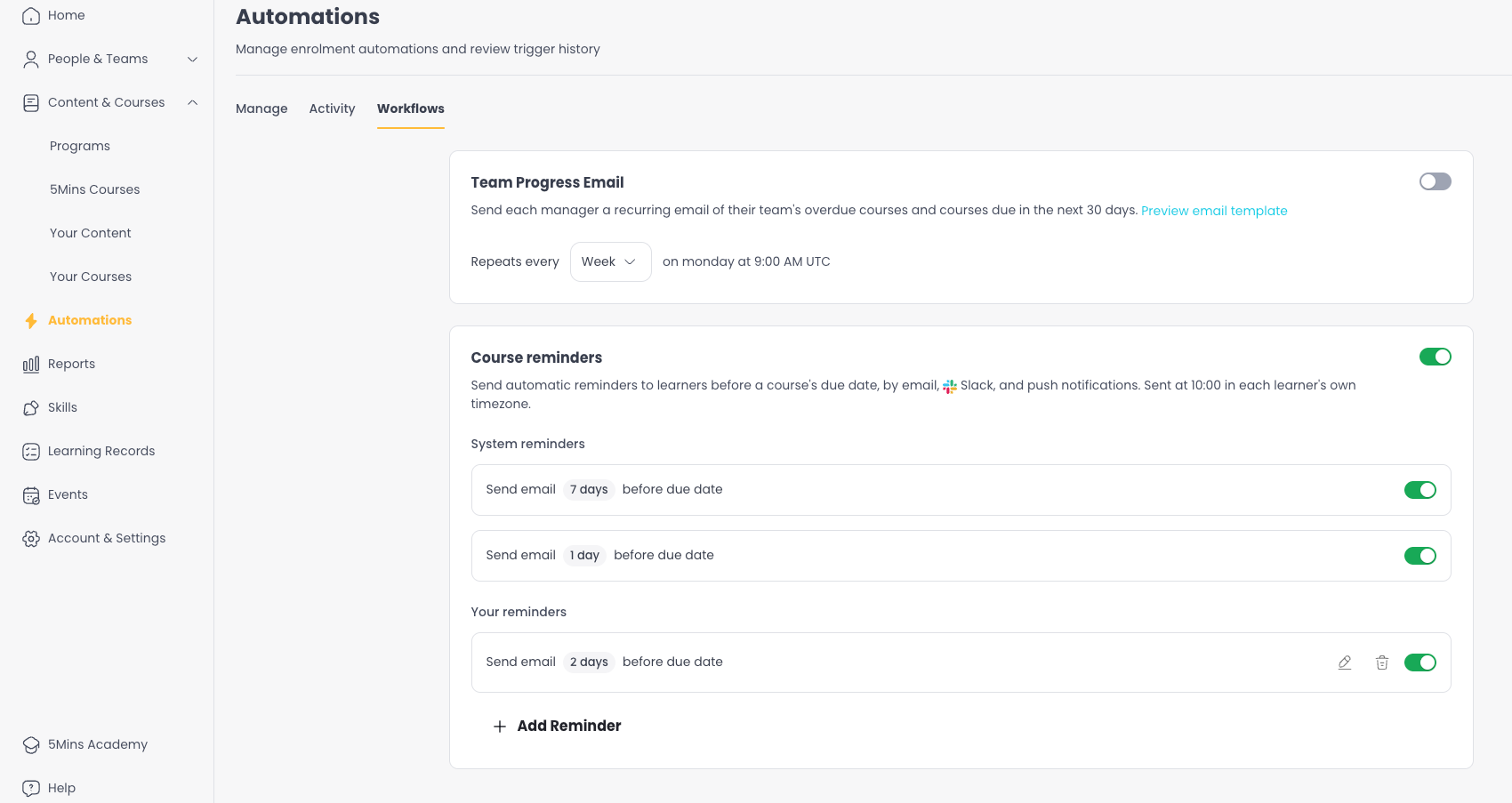
  • Admins can now create custom course reminders with configurable schedules, on top of the default reminder rules. Reminders can be delivered via email, Slack, MS Teams, and push notifications.

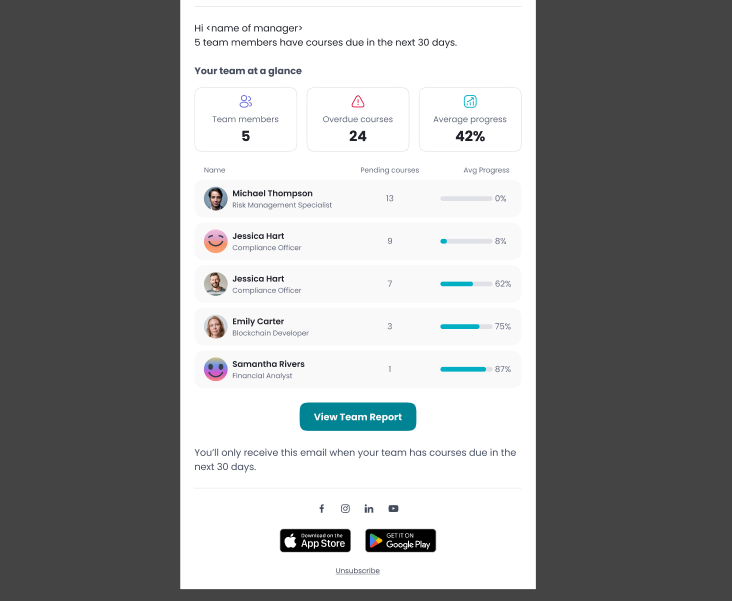
  • Managers now receive a recurring email summarising their team's course progress, with configurable frequency.
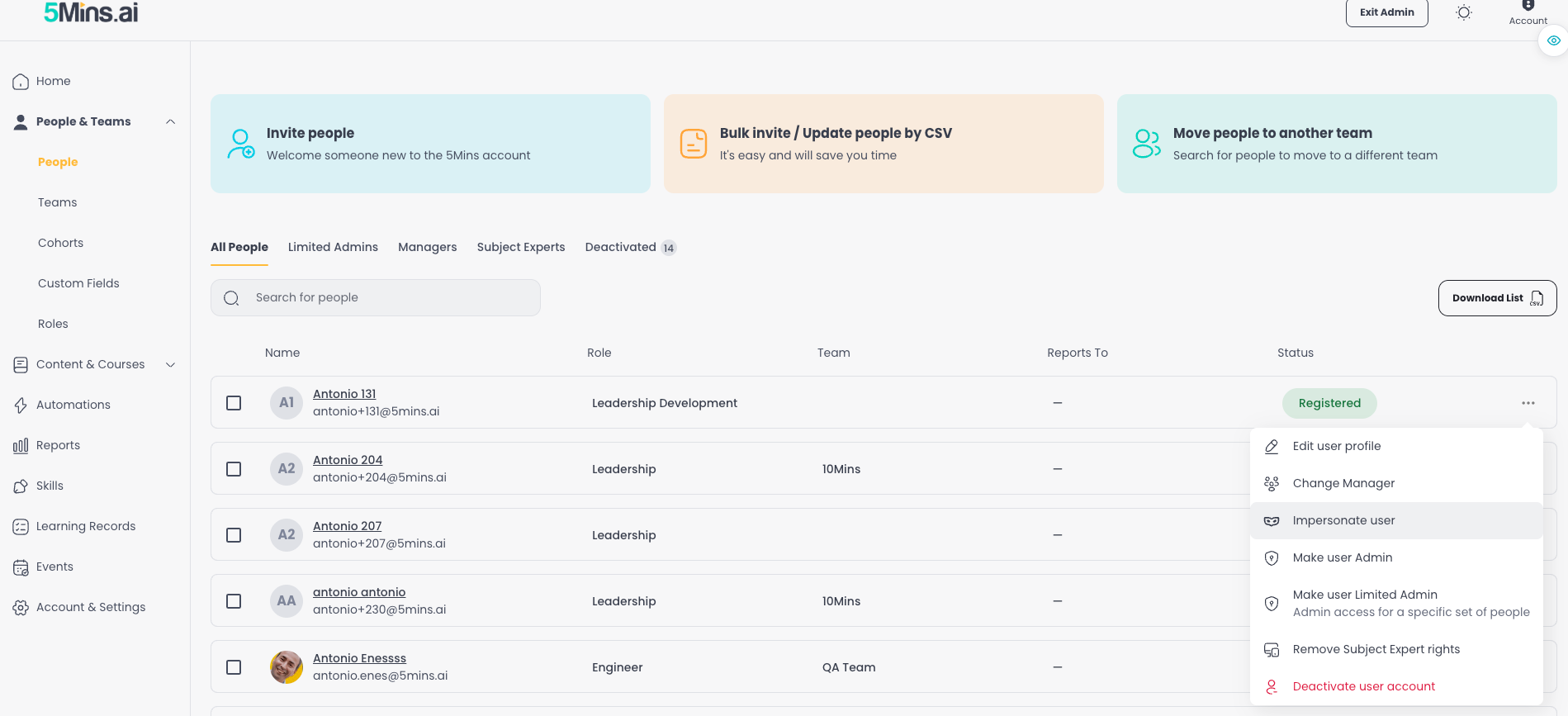
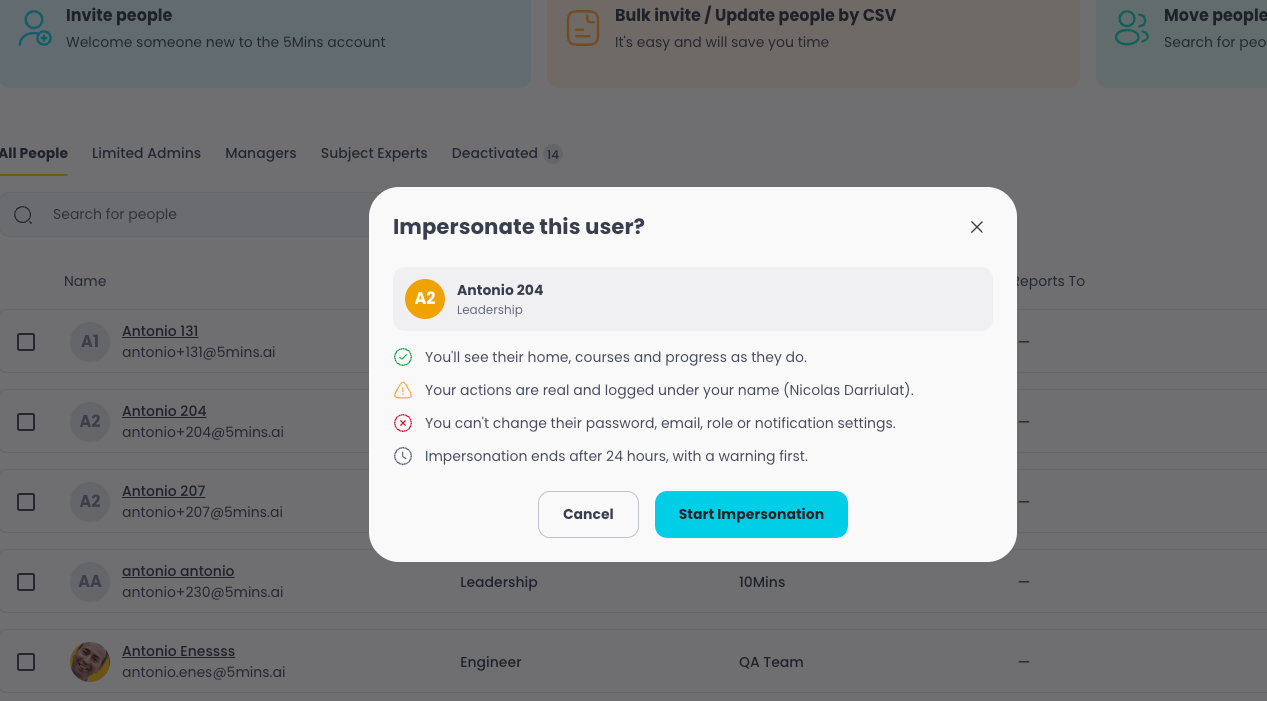
User Impersonation - Admins can now impersonate a learner to see the platform exactly as they do, making it easier to troubleshoot issues without asking for screenshots. Sessions are capped at 60 minutes with a clear banner and audit trail.
Situational Test Builder - Admins can now create, edit, reorder, and remove situational tests directly in the course builder, plus generate them with AI. Tests are scoped to the authoring admin's tenant and copy correctly when a course is duplicated.

User Profile Course Progress - The Course Progress tab on user profiles now includes search, sort, filters, bulk selection, and row-level actions like reset progress and send reminder.
Coming Next

Learning Games in AI Studio - AI Studio is expanding beyond video. Admins will be able to create interactive learning games directly in AI Studio, giving learners a more engaging way to practise and retain knowledge.

AI-Generated Course Assessments - Admins will be able to generate a full set of course assessments with AI directly from their lesson content. The AI reads the course's lessons and drafts questions using the assessment type that best fits the content - Multiple Choice, Categorise, or Match the Pairs. Admins review, edit, and save in one flow. Works even for courses with no lessons yet, using a topic and audience instead.

HRIS Role Mapping - A new Roles & Mapping page will let admins connect HRIS job titles to 5Mins roles. When new employees sync from your HRIS, their job title will automatically map to the right role and skill profile, so they get relevant learning recommendations from day one.

Questions or feedback? Just hit reply - we'd love to hear from you. Alternatively, you can also visit feedback.5mins.ai to give us feedback.

Cheers,
The 5Mins Team
September 2026 Release

This release introduces user deactivation, a full audit log, and custom course thumbnails for admins.

What's New

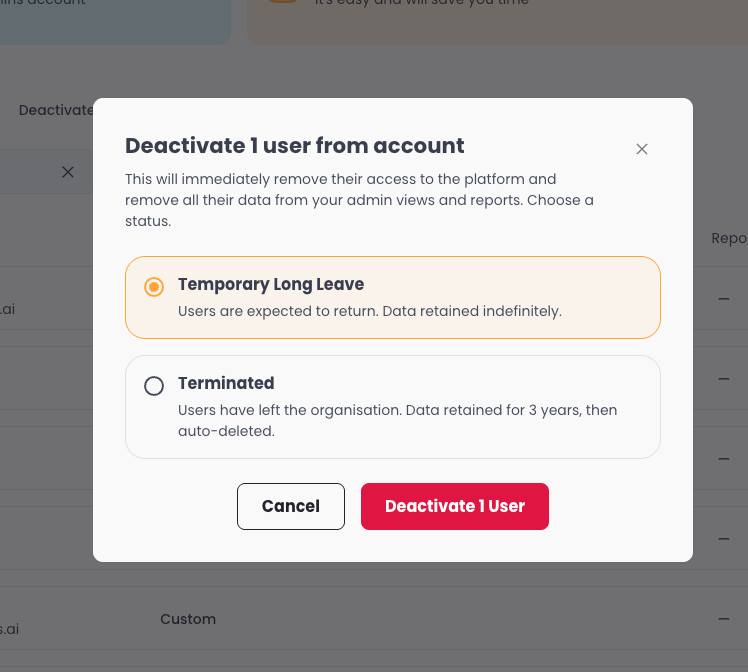
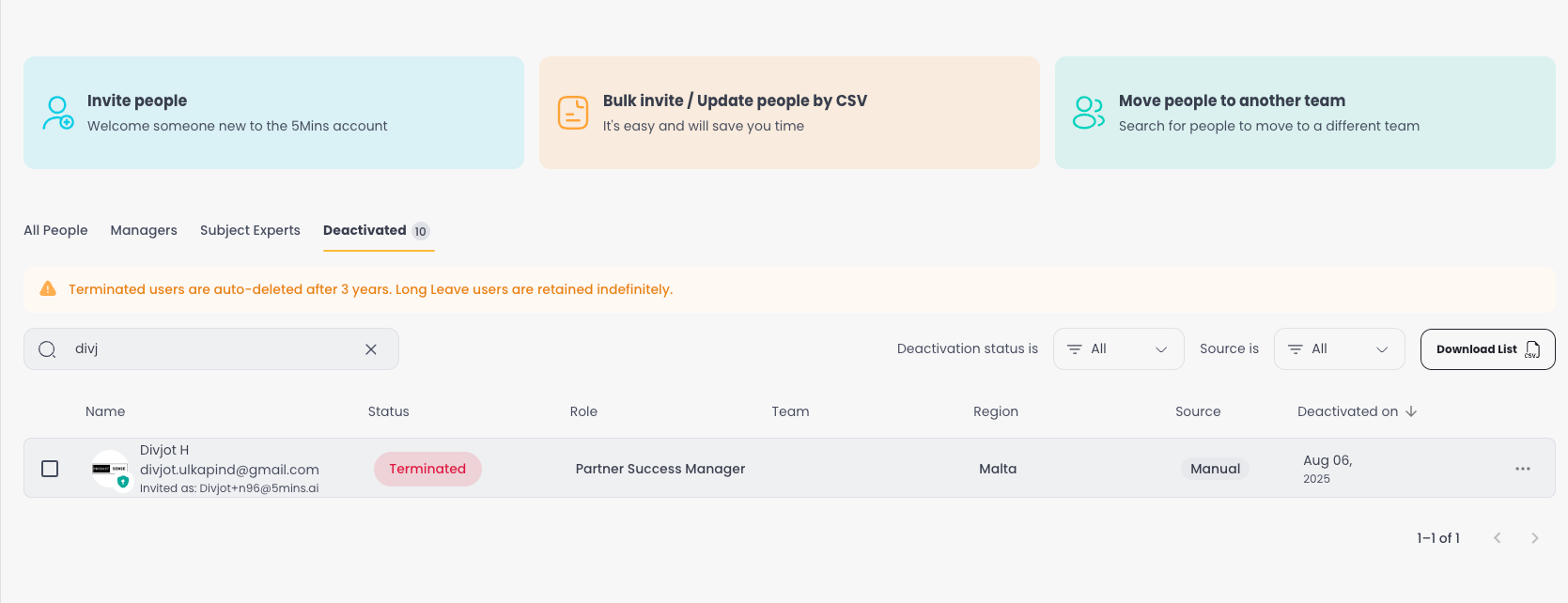
User Deactivation - Admins can now deactivate users instead of deleting them, preserving their learning history and enrolment data. A new Deactivated tab lets admins view, search, reactivate, or change the status of deactivated users.

For HRIS-connected tenants, deactivations sync automatically with a source badge showing where the action originated.

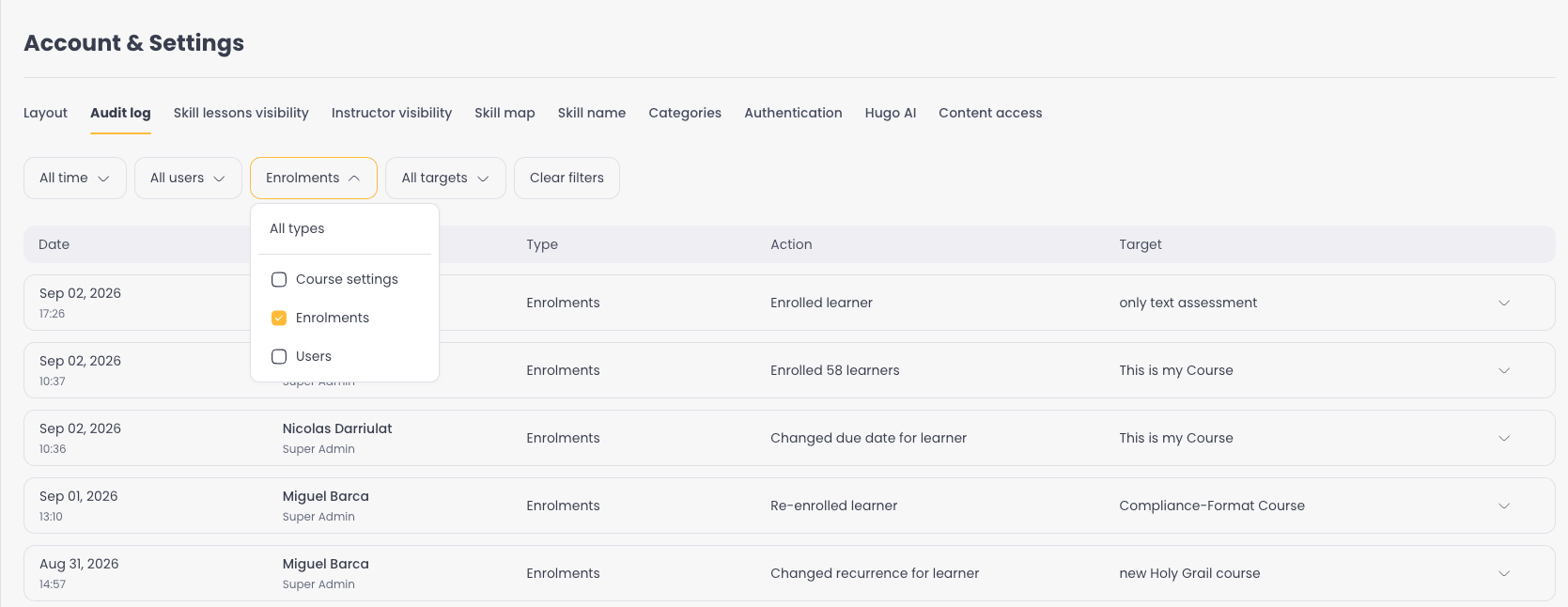
Audit Log - A new Audit Log page under Account & Settings tracks key admin actions across the platform. This first rollout covers enrolment changes and user activity, giving admins a clear trail of who did what and when.

Course Thumbnails - Just like lesson thumbnails, admins can now set custom thumbnails for courses. Upload your own image, generate one with AI, or browse a stock image library.

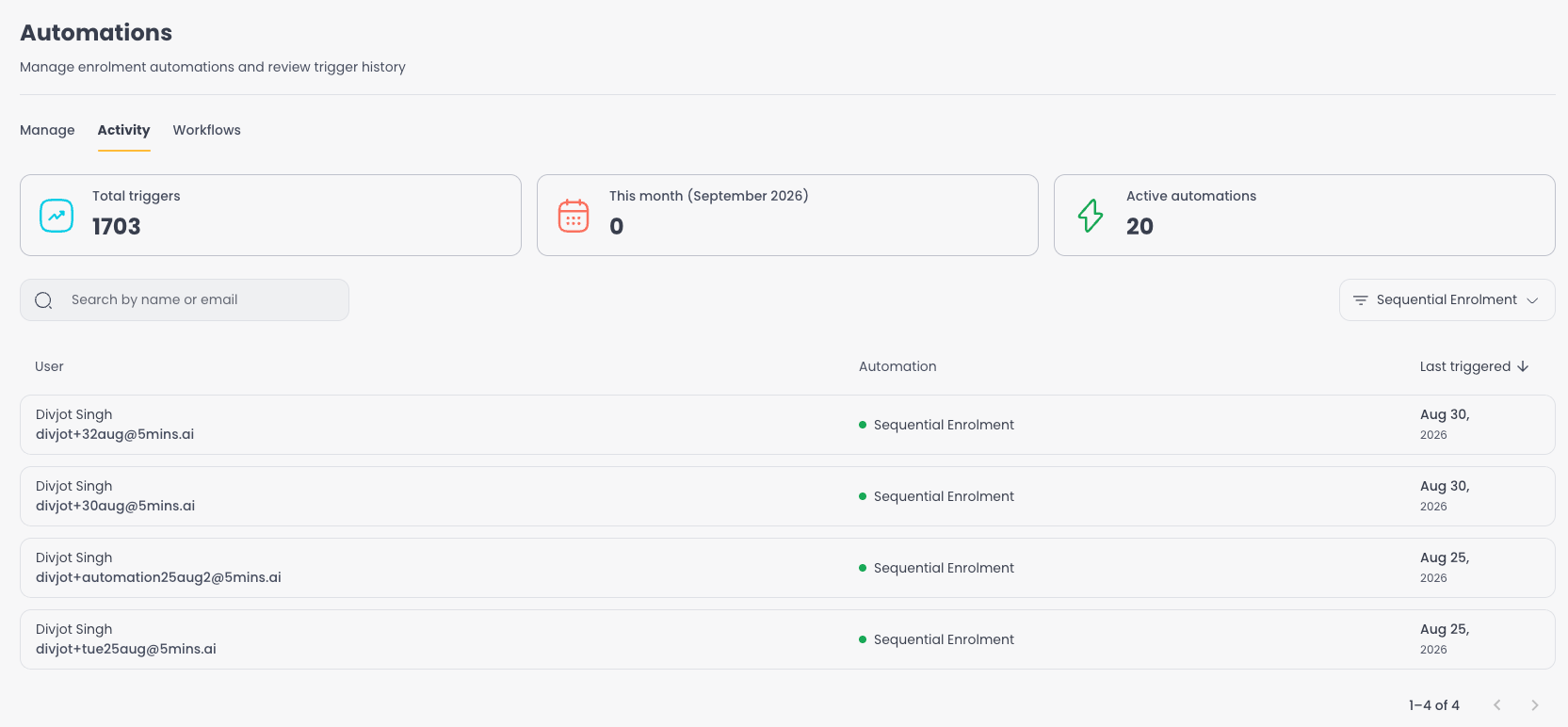
Automation Activity Feed - Automations now include an Activity tab showing a history of every trigger, so admins can see exactly when each user was processed and troubleshoot without guesswork.

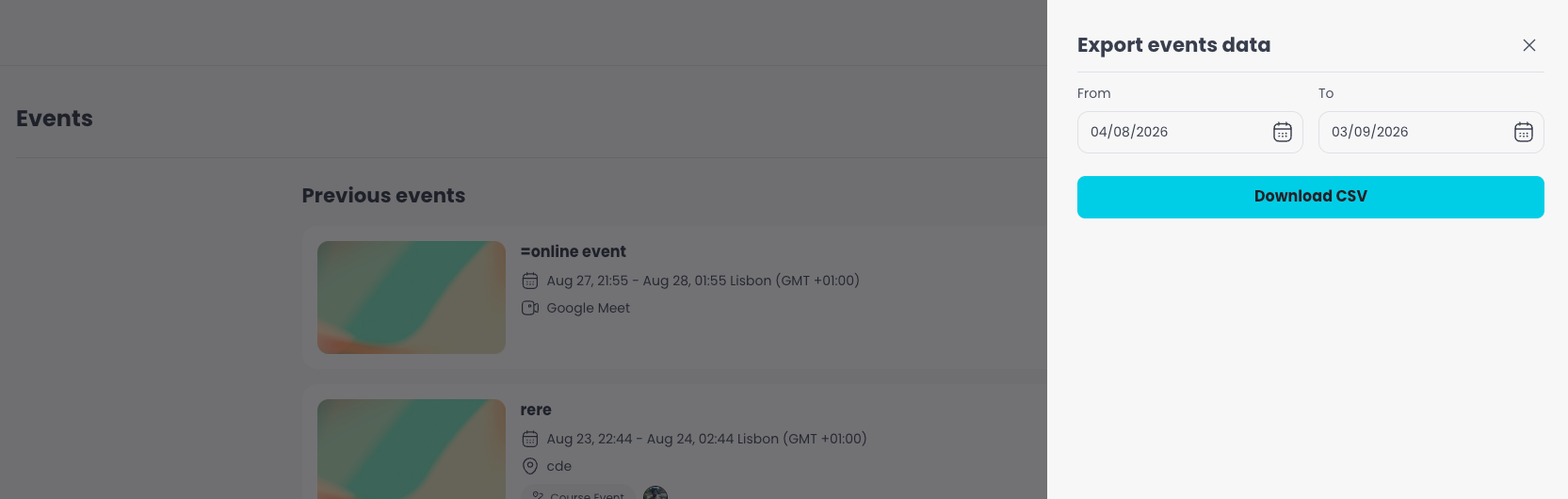
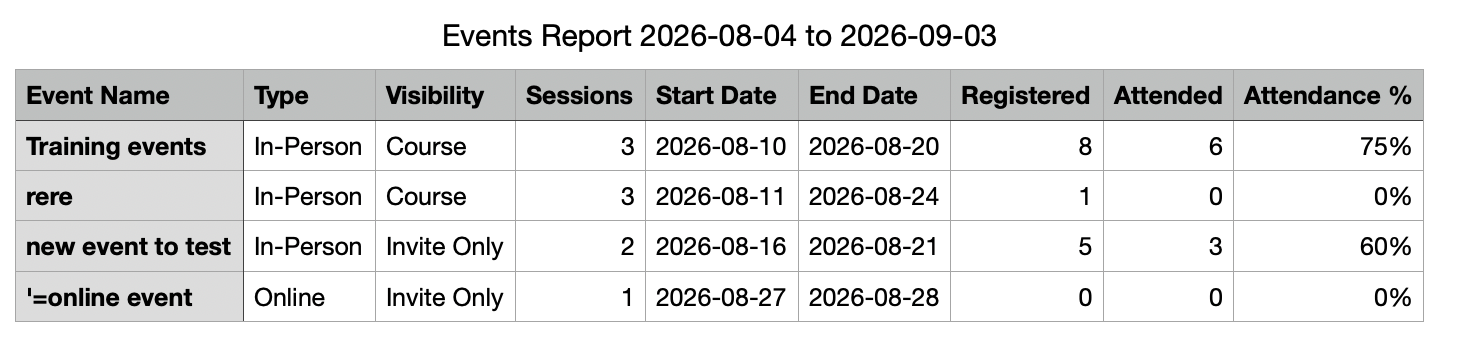
Events Reporting & Export - Admins can now bulk export event data from the Events page with a date range filter, making it easy to pull attendance and session reports for any period.

Questions or feedback? Just hit reply - we'd love to hear from you. Alternatively, you can also visit feedback.5mins.ai to give us feedback.

Cheers,
The 5Mins Team
August 2026 Release

This release brings saved reports, admin roles with AI, custom lesson thumbnails, and smarter retake tracking.

What's New

Admin Roles - A brand-new Roles page under People & Teams. Browse the 5Mins Role Library, copy roles to your company, or create custom roles from scratch. AI Role Creation lets admins describe a role and get suggested skills automatically, then tweak and save.

Saved Reports & Automated Delivery - Admins can now save any Learning Records view as a named report and reuse it instantly from a presets row. Turn any saved report into a scheduled email - pick the recipients, set the frequency, and receive a CSV attachment automatically. No more rebuilding filters every time.

Lesson Thumbnails - Admins can now set custom thumbnails for any lesson type. Upload your own image, generate one with AI by describing what you want, or browse a stock image library - all from the same menu. No more relying on auto-generated frames or default placeholders.

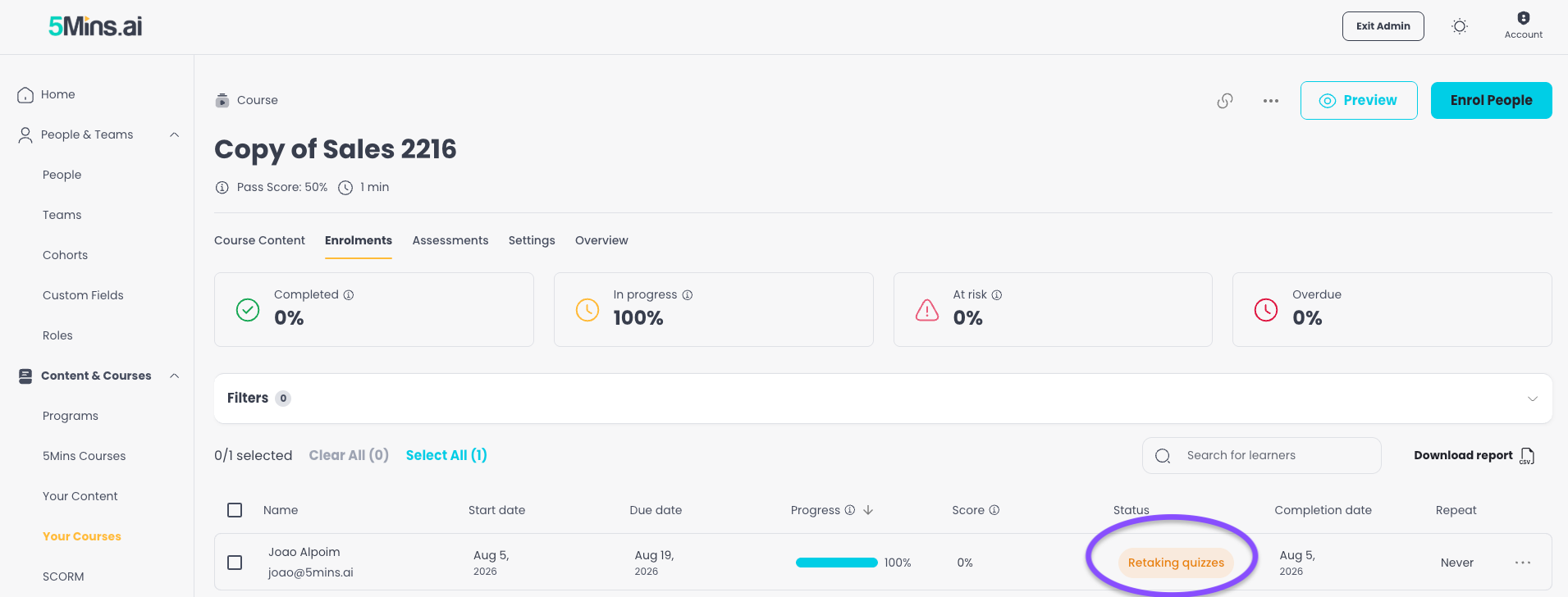
Retaking Quizzes Status - A new "Retaking quizzes" status now appears when a learner has finished a course but hasn't met the pass score and still has retake attempts available. The new status flows through Learning Records and dashboards, giving admins a clear picture of who is in the process of retaking.

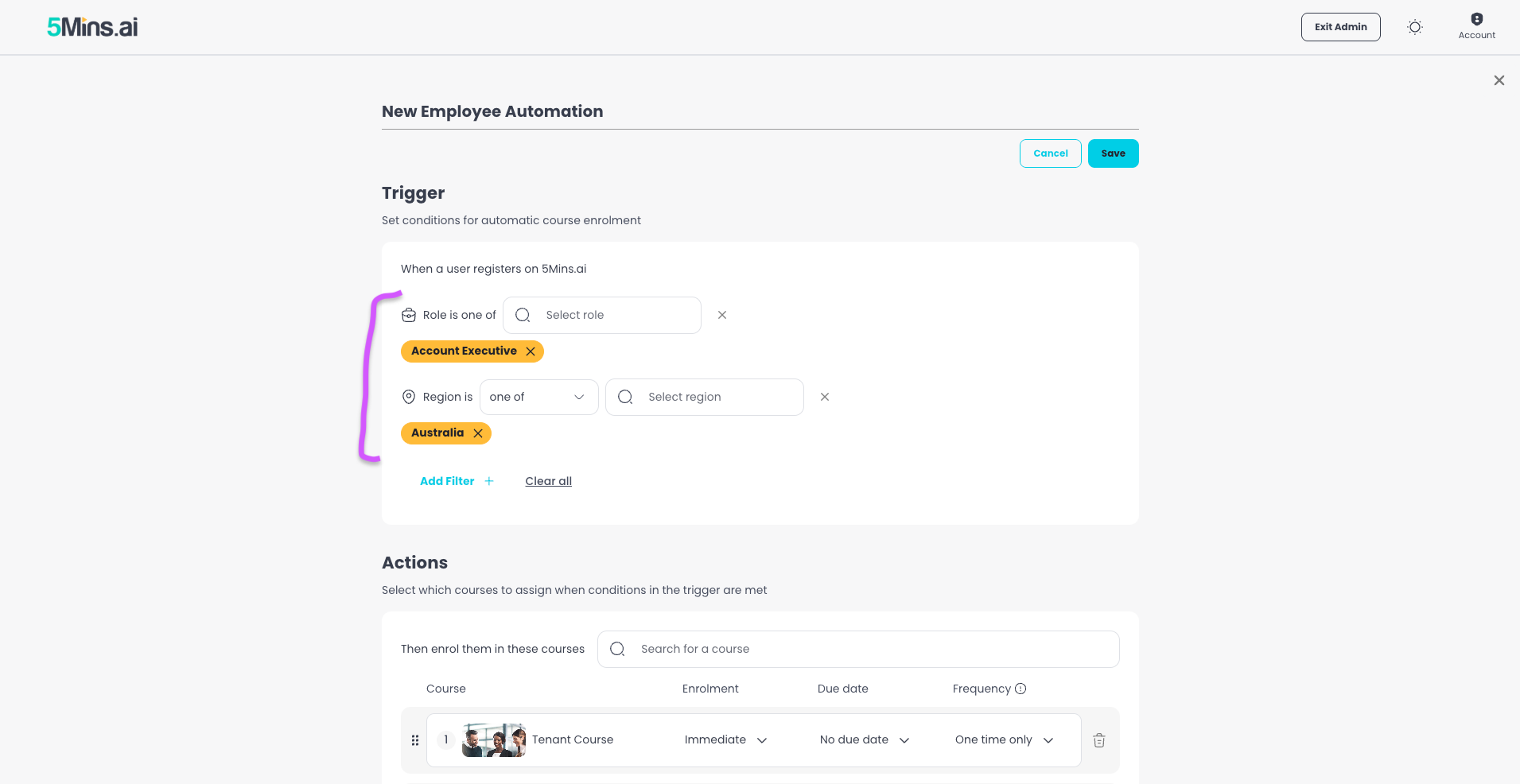
Automation Criteria Builder - Automation rules have been rebuilt as a flexible criteria builder. Teams are now available as a filter alongside regions and roles, making it easier to target the right learners.

Assessment Explanations - Multiple Choice Assessments now support an explanation for the correct answer, so learners understand why they got it right or wrong.

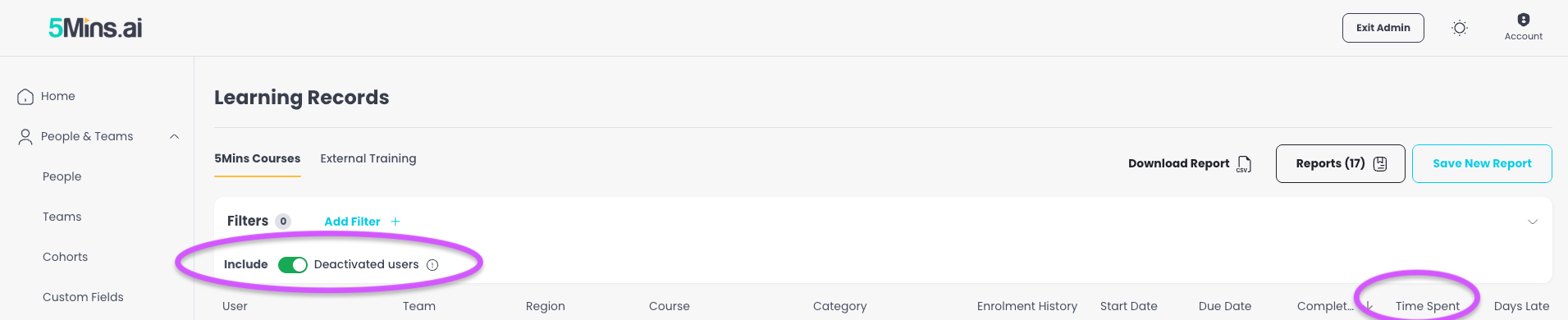
Time Spent Column - Learning Records now shows how long it actually took a learner to complete a course, from first activity to completion.

Include Deleted Users in Learning Records - Admins can now toggle on deleted users in Learning Records, so compliance and historical reporting stays complete even after offboarding.

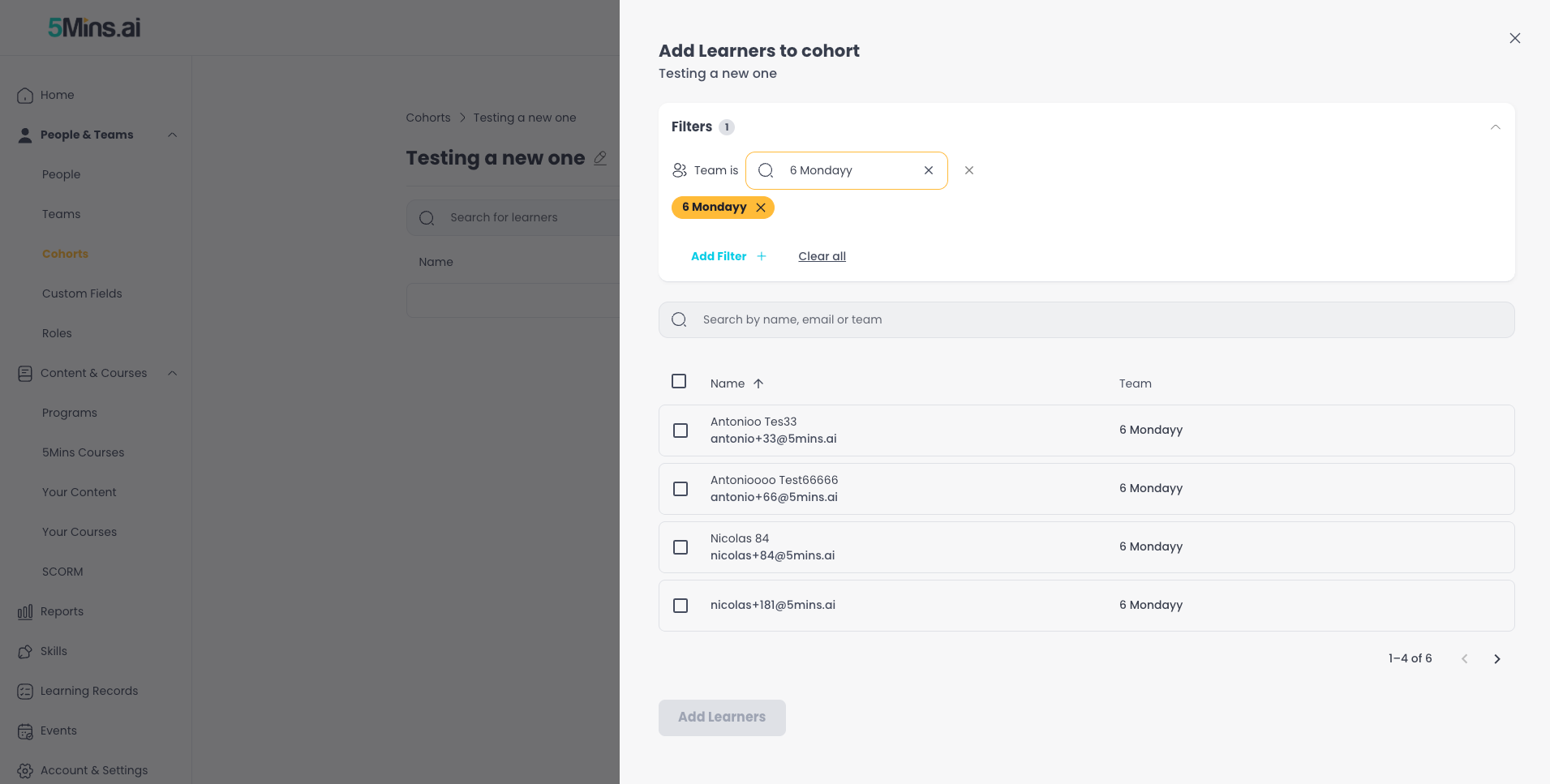
Cohort Improvements - The "Add Learners" flow on Cohorts now includes people filters (team, region, custom fields), and the creation flow takes admins straight to the add-people step.

CSV Sync Error Improvements - Upload errors are now clearer and more actionable, with specific guidance on what's wrong and how to fix it.

Your Courses Dashboard - New download options: admins can now export a full report or just the current view at course level.

Questions or feedback? Just hit reply - we'd love to hear from you. Alternatively, you can also visit feedback.5mins.ai to give us feedback.

Cheers,

The 5Mins Team
Earlier updates