5Mins <> Bamboo Integration
Overview
To authenticate BambooHR using an API Key, you will need to provide the following information:
Subdomain
API key
This guide will walk you through finding or creating those credentials within BambooHR.
Prerequisites
Please ensure you fulfill all the requirements to set up the integration:
You have Full-Admin access in your company's BambooHR instance, or someone has shared their access with you
BambooHR - How do I configure a custom access level for user provisioning?
Last updated8 months ago
Overview
This guide will walk you through configuring a custom access level in BambooHR to enable data required for a basic user provisioning use case.
Prerequisites
Please ensure you fulfill all the requirements to set up the integration:
You have a Custom Access Level that you want to update permissions for
Your use case for this integration is to provision user access. Data related to compensation, pay, and/or time off will not be accessible after following the steps outlined in this guide
Instructions
Step 1: Edit the access level for other employees
Click the settings icon in the top right
Click Access Levels
Click on the access level you want to edit and hit Access Level Settings
Select "ALL EMPLOYEES" for whom this access level can access the information.
Under the Personal section, enable View access for the following:
Basic Information:
Status
Employee Number
First Name
Last Name
Preferred Name
Address:
Address Line 1
Address Line 2
City
State
Zip Code
Country
Contact:
Mobile Phone
Work Phone
Work Email
Home Email
Under the Job section, enable View access for the following:
Hire Date
Original Hire Date
Direct Reports
Team
Employment Status
Employment Status Date
Employment Status
Termination Type
Job Information
Job Title
Department
Division
Location
Job Information Date
Reporting To
(Optional for Dependents data) Under the Benefits section, enable View access for the following:
Dependents - all relevant fields for your use case
Step 2: Edit the access level for your information
Select the "See About Themselves" option
Choose "Yes, Allow Access" for the "Should Employees be able to see their own information?" question
Choose "Full Access" for "Which Access Level should apply?"
This means that the BambooHR Employee with this custom access level can see the same information for themselves.
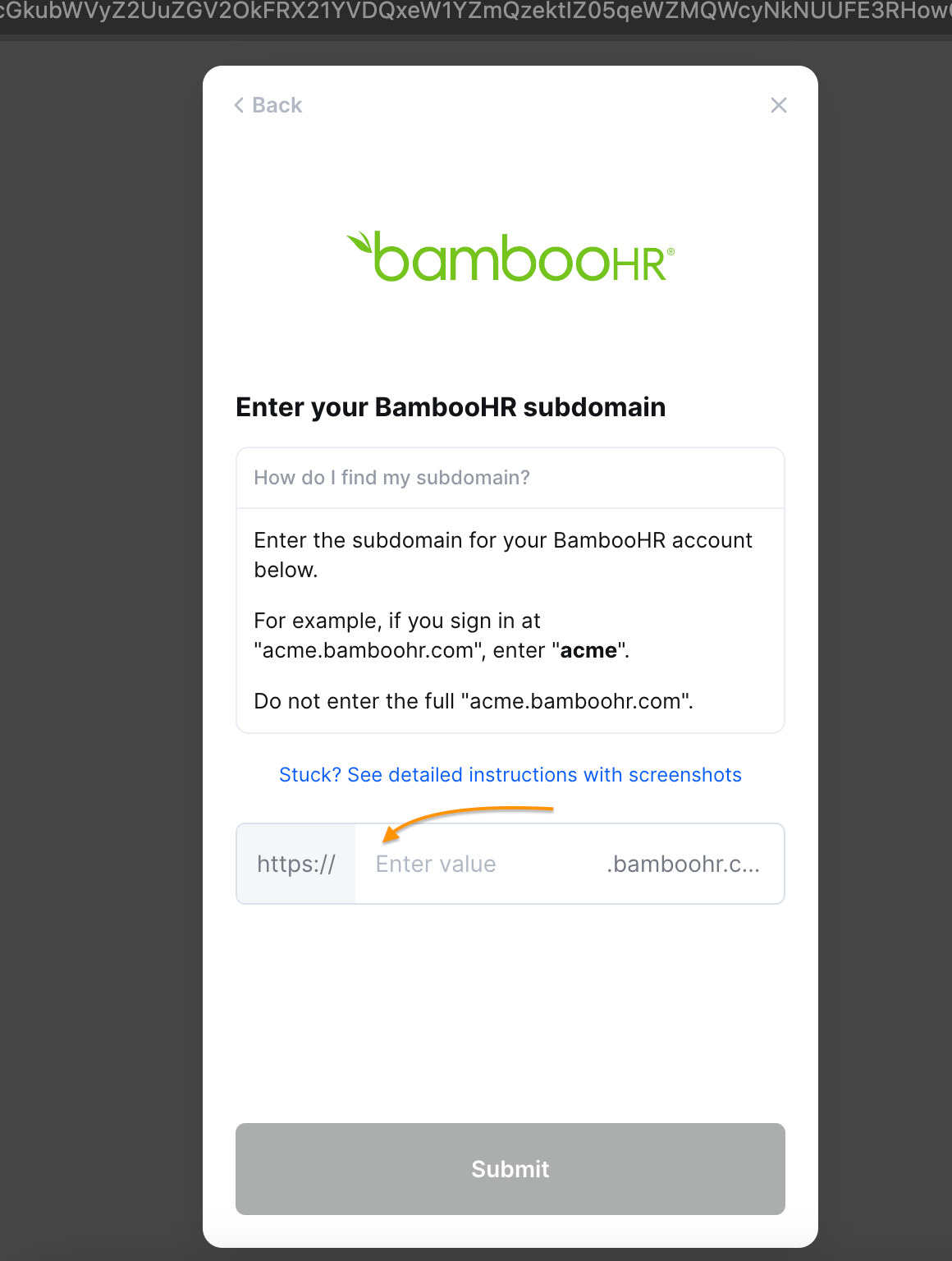
Step 3: Add your BambooHR subdomain to the linking flow
For example, if you sign in at "acme.bamboohr.com", add acme
Do not enter the full "acme.bamboohr.com"
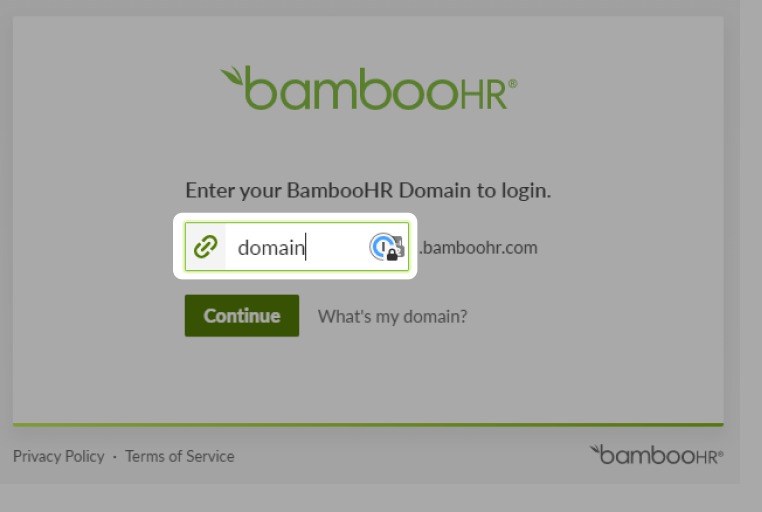
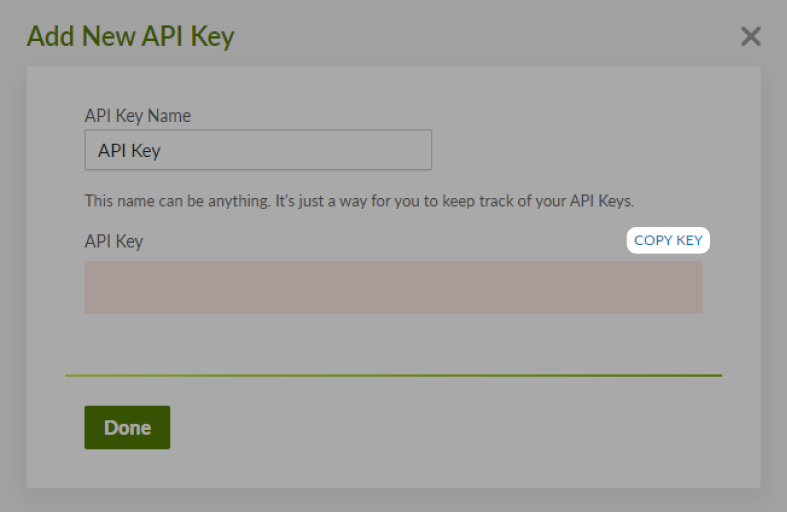
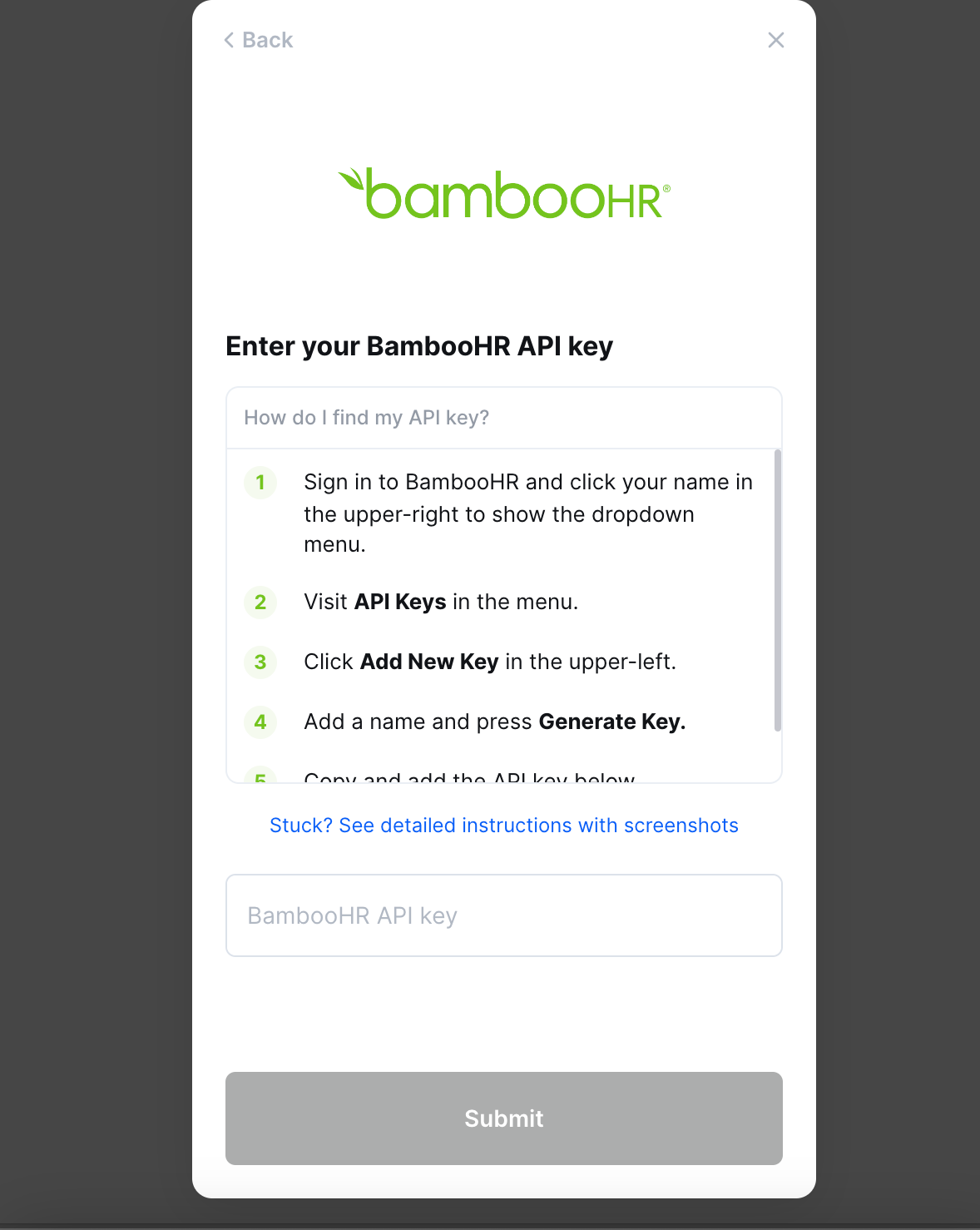
Step 4: Find your BambooHR API key
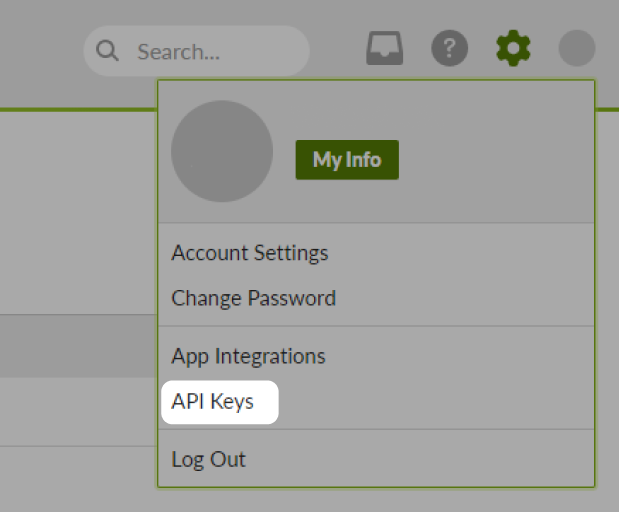
Click on your name in the upper right-hand corner and in the user context menu click on API Keys
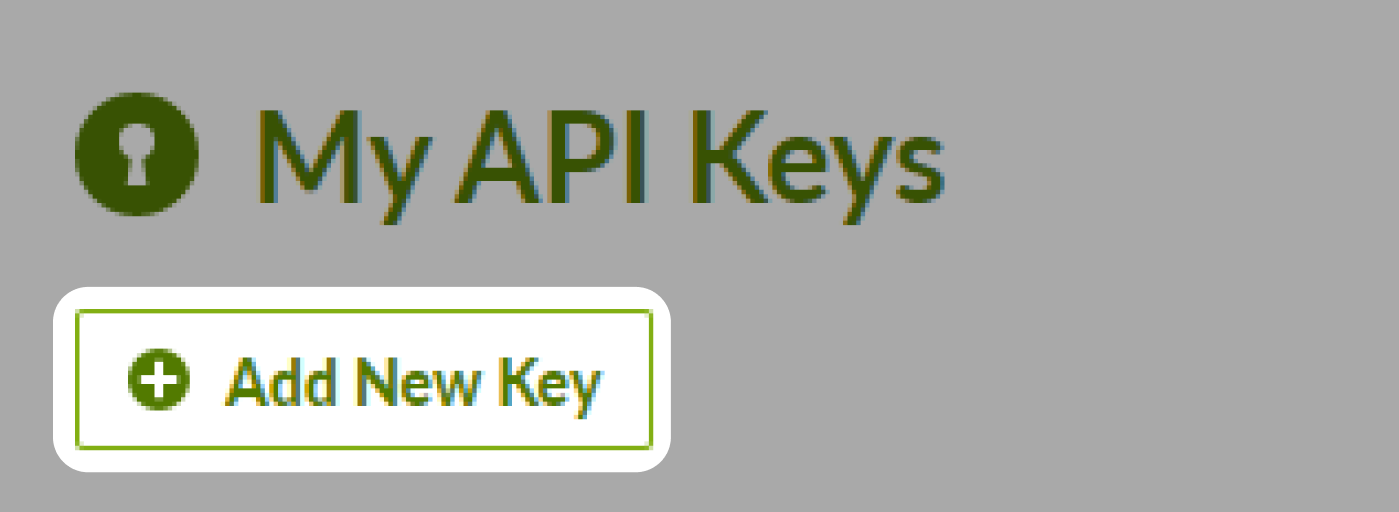
Click Add New Key in the upper left corner
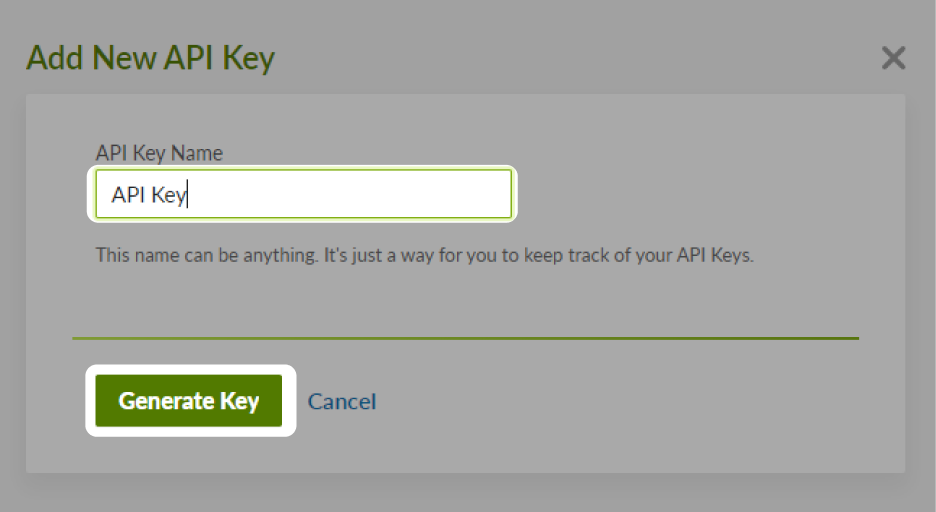
Input an API Key Name, and then click Generate Key
Copy the API key that appears, and add it to the linking flow
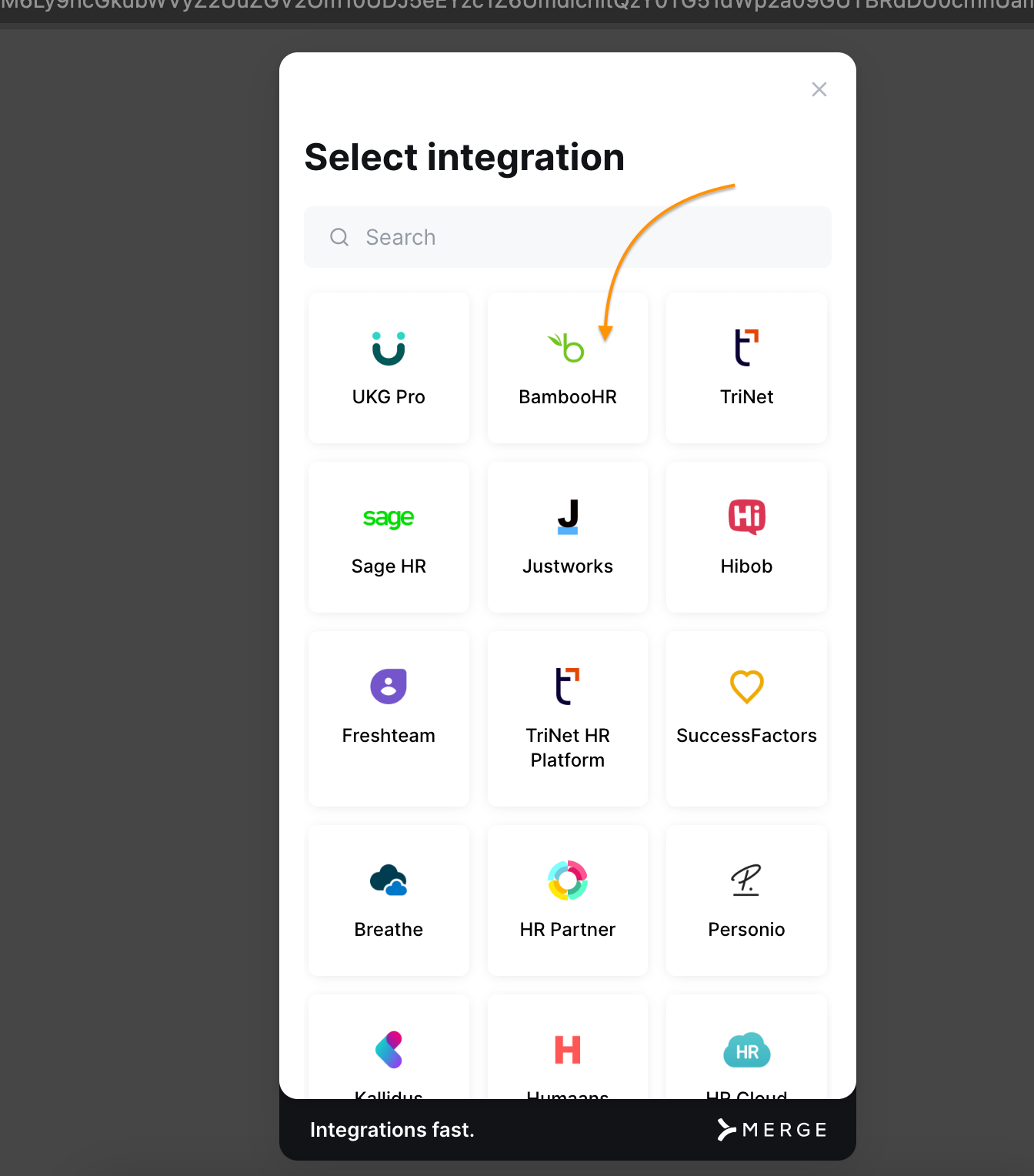
Step 5: Click on Bamboo Integration link given by 5Mins AI
Step 6: Select BambooHR Integration option
Step 7: Enter the subdomain
Step 8: Enter the API Keys that you generated earlier
That’s it! Integration is complete.