Pass Score for Courses
1. What is the Pass Score feature?
Pass Score is a new setting that allows Admins to define a minimum score learners must achieve in order to earn a certificate for a Course.
2. Where can an admin set the Pass Score for a Course?
You can set the Pass Score in the Settings tab of a Course. This applies to both 5Mins Courses and Tenant Courses. It is generally advised not to change Pass Score too frequently as it affects enrolled learners in the course.
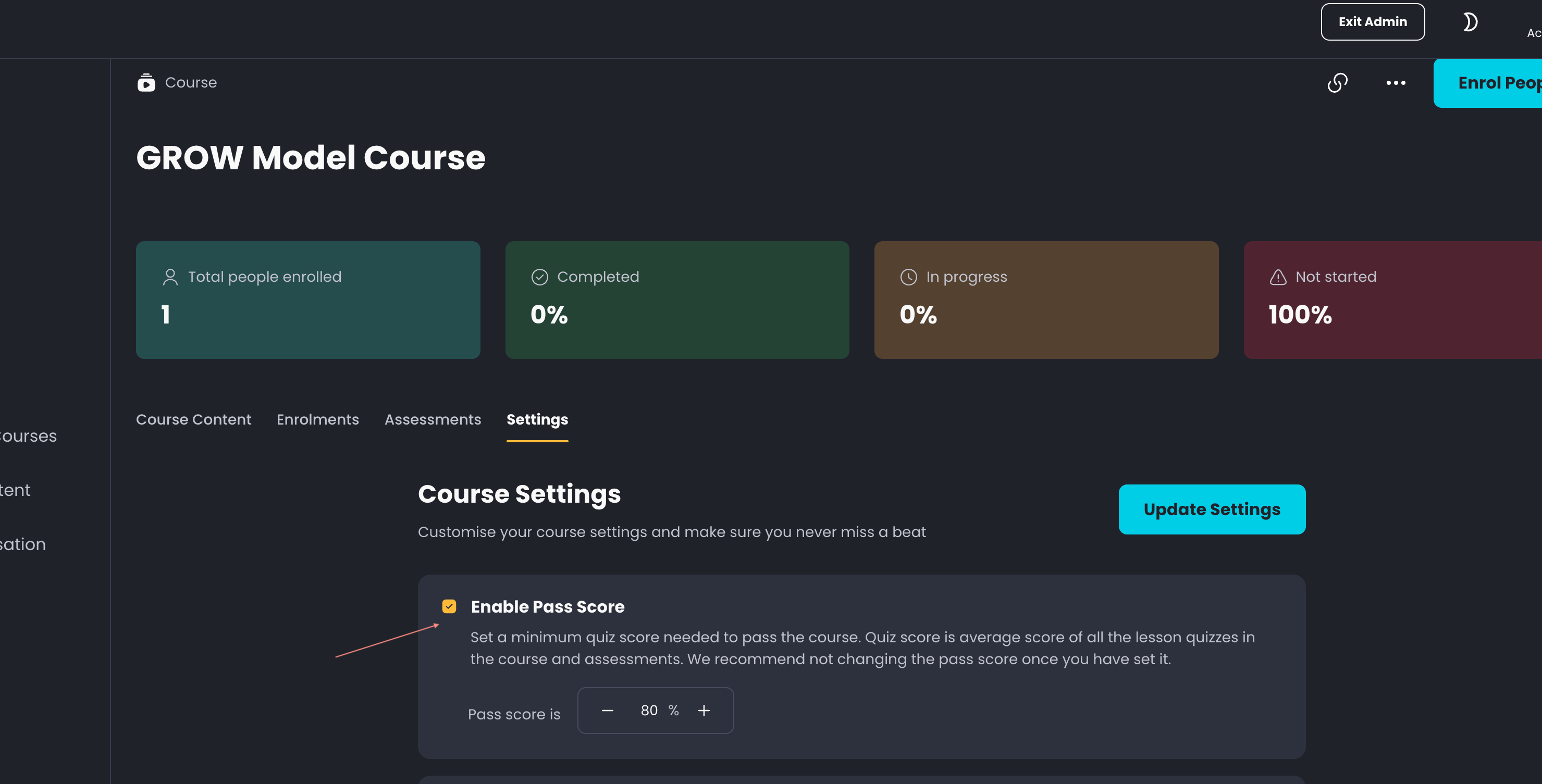
3. What is Score and how is it calculated?
The Pass Score is based on the average Score of all assessments within the Course. Score is the average score of all the quiz scores in:
Lesson quizzes: questions displayed at the end of a lesson
Course Assessments: Situational tests, Multiple choice questions, Text based questions, and Exercises
Please note: Surveys are not counted toward the Score.
4. How does the Pass Score impact certificate eligibility?
A Course certificate is awarded when:
The learner completes 100% of the Course
The learner’s quiz score meets or exceeds the Pass Score (if one is set)
If a Pass Score is set and the learner does not meet it, they will not receive a certificate even with 100% progress.
5. Where can those Course Certificates be found?
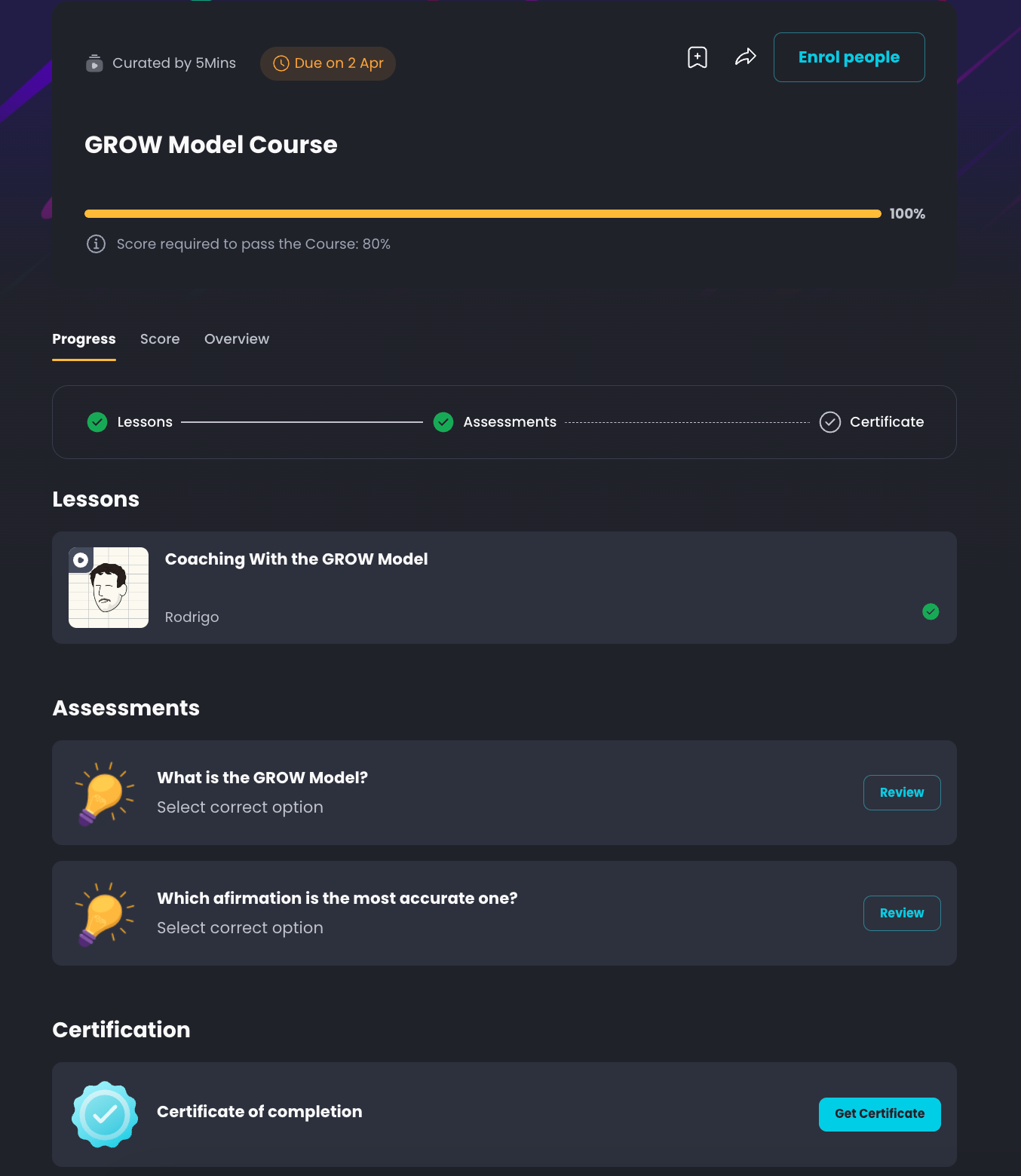
Learners may find their Certificates in:
The respective course page
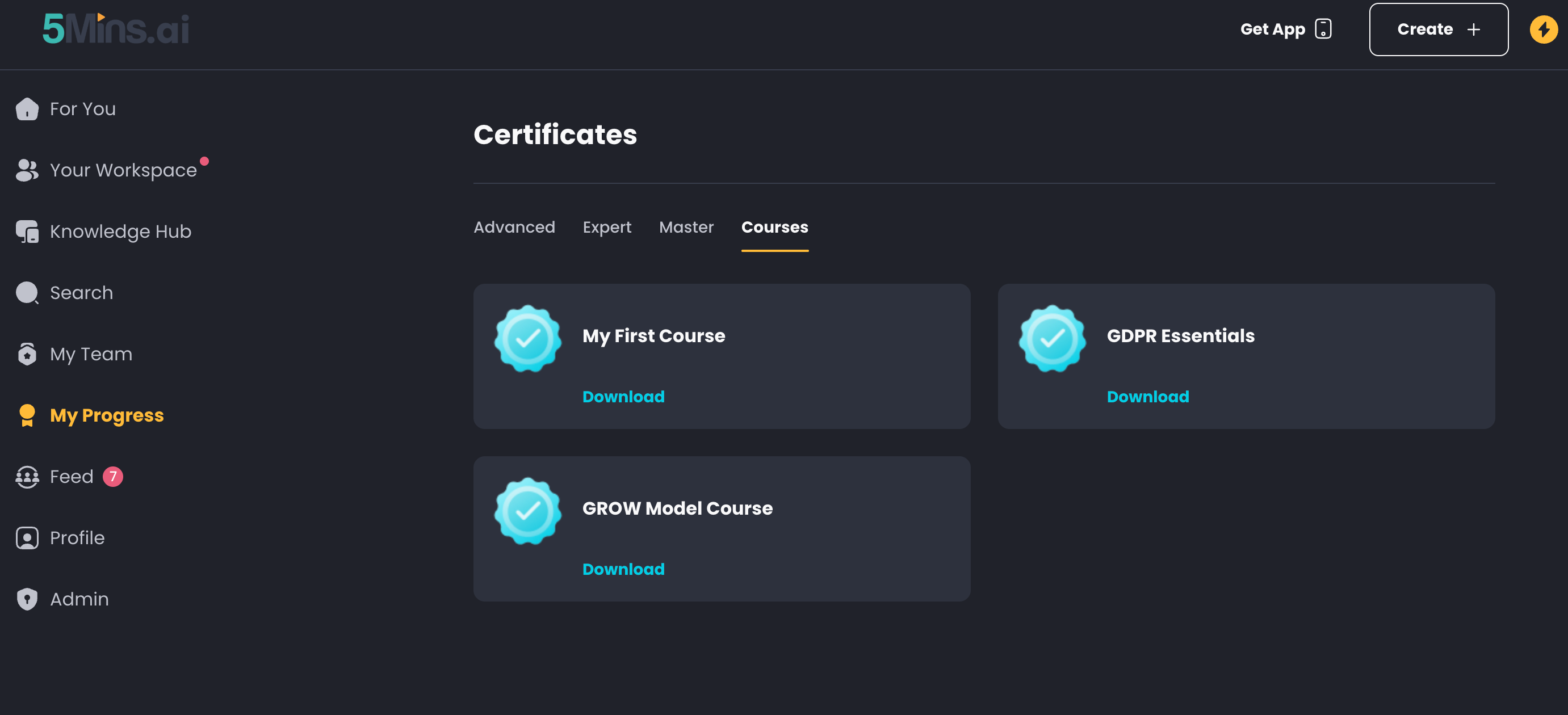
Once obtained, they also can be found on the My Progress > Certificates page
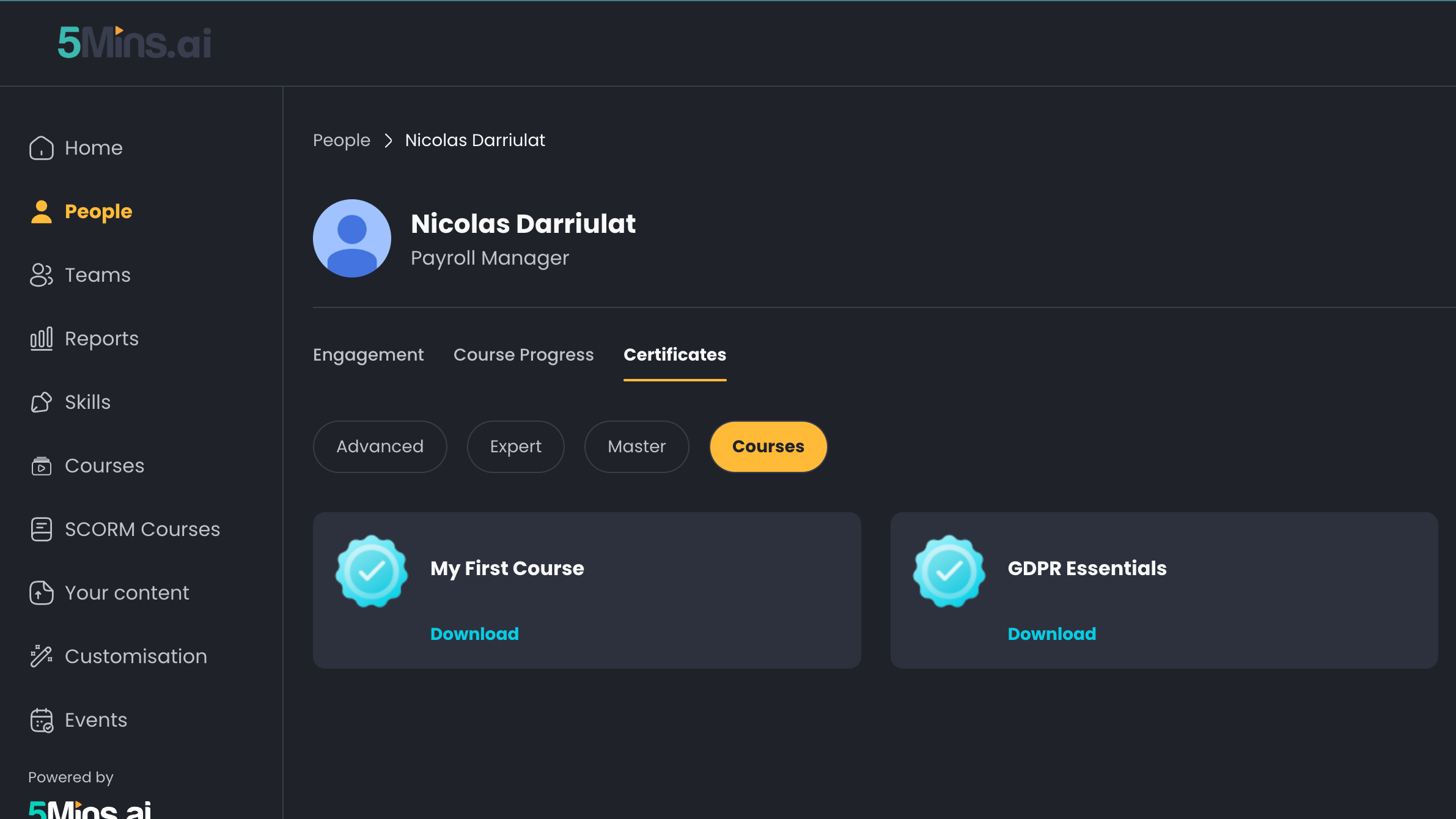
In the case of Admins, they can find each user's certificates on the Admin > People page > [User name]
6. What happens if a Course does not have a Pass Score set?
If a Course has no Pass Score, learners will earn a course certificate as long as they complete 100% of the Course, regardless of their assessment scores.
7. What new information is displayed to learners on the Course page?
Learners will now see:
Pass Score Information: The required score for passing.
Result Card in the Score Section: Whether they have passed or not.
8. How can an admin track learner performance based on the Pass Score?
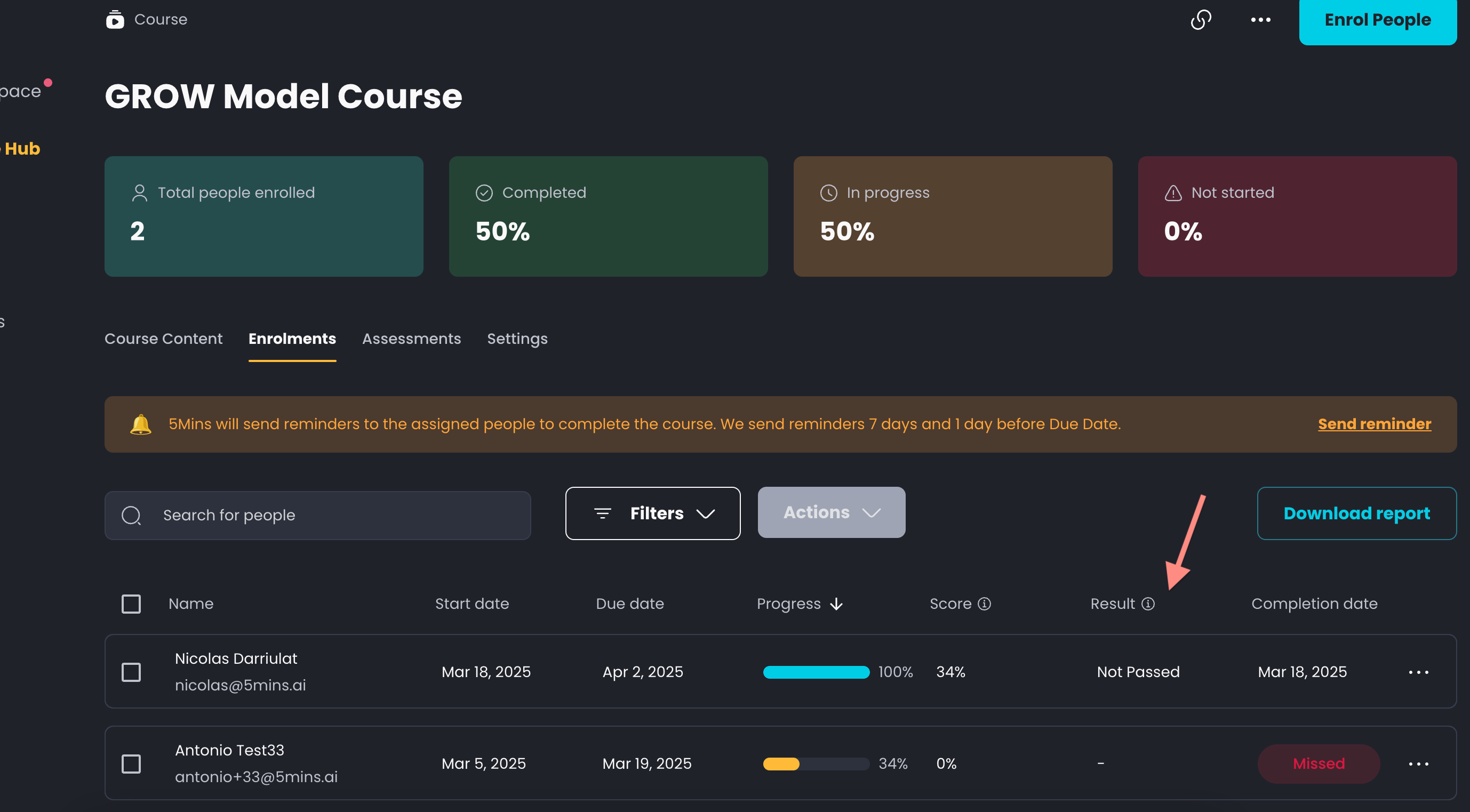
Each learner's outcome appears in the Status column of the Enrolments tab of the Course page. When a Pass Score is set, the Status column can show:
Completed → If the learner met the required Pass Score & completed 100% progress
Failed → If the learner completed 100% but did not meet the Pass Score
Retaking quizzes → If the learner has completed all content and is using their remaining quiz attempts to reach the Pass Score
Note: The Failed and Retaking quizzes statuses only appear if a Pass Score is set for the Course.
9. How does a learner know if they failed / passed the course?
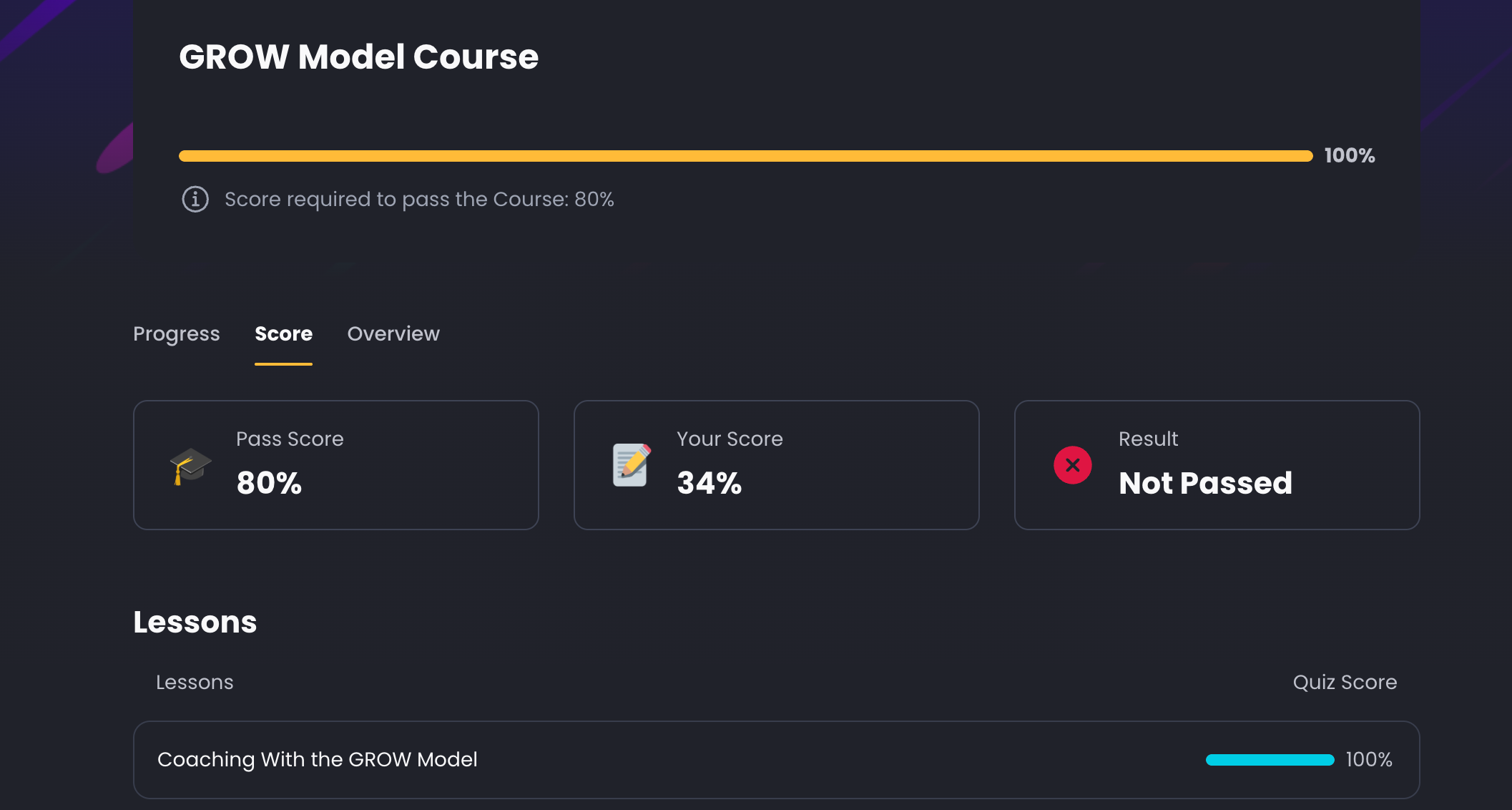
On the Course’s page > Score tab, learners may find the following information:
Course Pass Score
Their total Score
Result (either Passed, Not Passed, “—”)
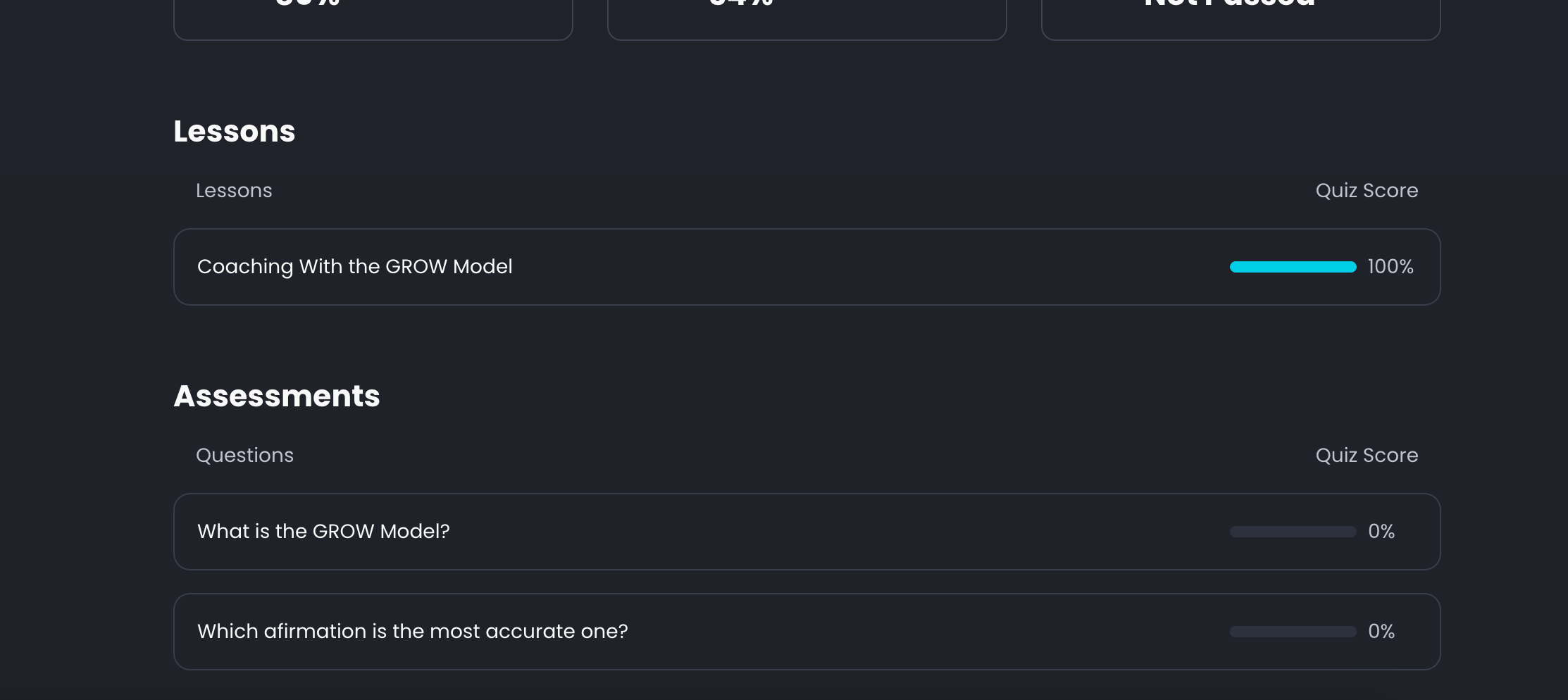
In the same section, a list of each quiz and assessment, along with the user's score for each, can be found:
10. How many attempts does a learner get to pass the course?
This depends on the course's re-attempts setting. When you enable a Pass Score, the "Allow re-attempts for quizzes and assessments" option is turned on automatically, giving learners 2 attempts by default (you can set this between 2 and 3). If you switch this option off, learners get only a single attempt. You can find this setting nested under Enable Pass Score in the Course's Settings tab. For more detail, see Quizzes Re-take.
11. What happens if a learner fails the Course? Can admins re-enrol them?
If re-attempts are enabled (see Q10), the learner can simply retry the assessment until their attempts are used up — no admin action is needed. If all attempts are exhausted, or you want to give the learner a completely fresh start, an admin can re-enrol them at any time. Once re-enrolled, the learner starts the course from scratch with a new attempt to pass.
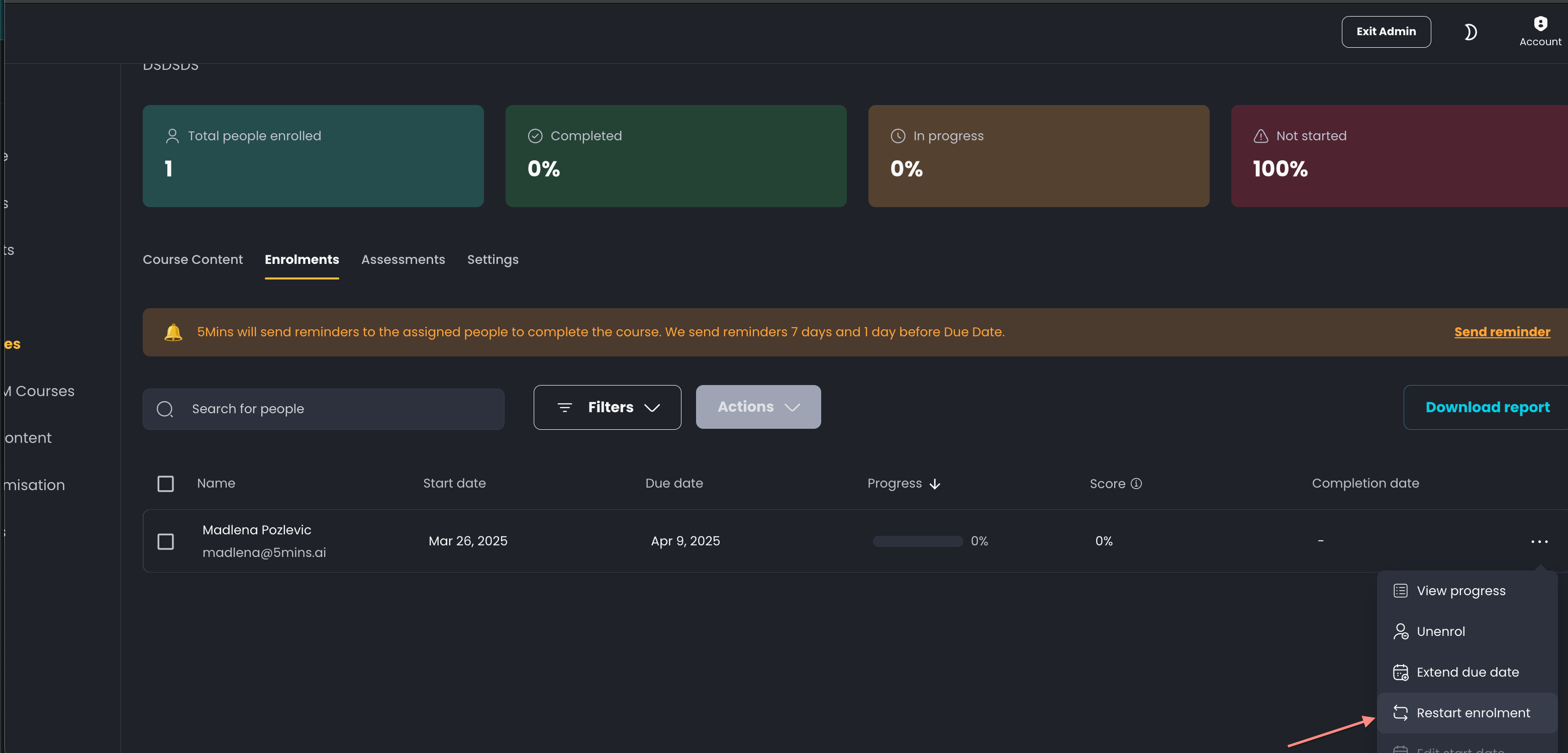
In order to re-enrol a user:
Open the Course’s page
Click on the three dots menu next to the user’s name
Click on Restart Enrolment
Feel free to share more feedback at nicolas@5mins.ai