Sending Targeted Reminders to Learners
You can now filter learners by their enrolment status and send reminders only to selected users. This helps you follow up more effectively and improve Course completion rates.
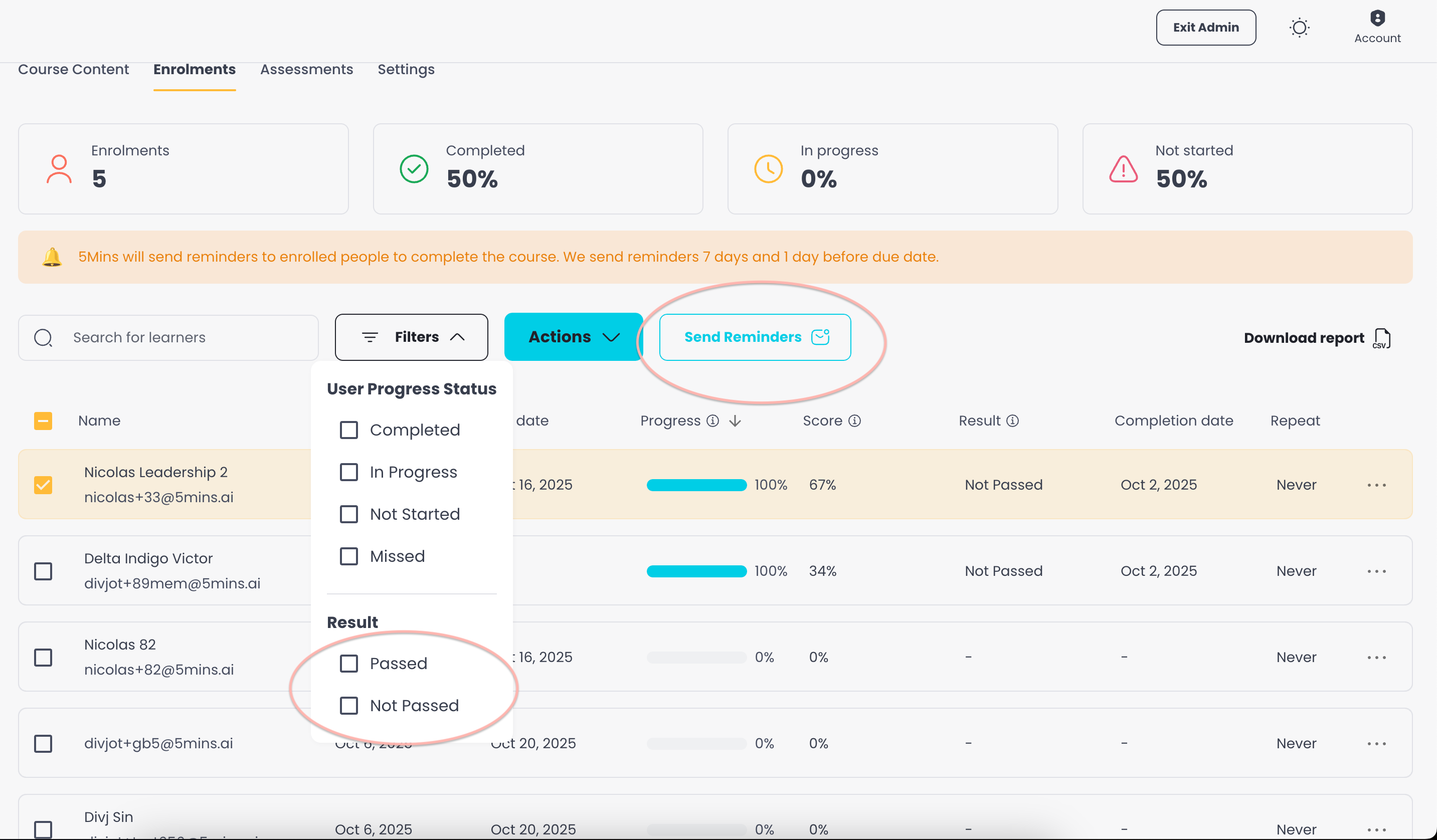
How It Works
1. Open the Filters Panel
On the Enrolments tab of the Course page, click Filters.
Use the Enrolment Status filter to select one or more of:
Completed
Failed
Retaking quizzes
In Progress
Scheduled
Not Started
Overdue
Note: The "Failed" option only appears if the Course has a Pass Score set.
2. Select Learners
After applying filters, select the specific learners you want to follow up with.
Only the learners you select in the current view will receive reminders.
3. Send Reminders
With learners selected, a bar appears at the bottom of the screen showing how many are selected. Click the Send Reminder button on that bar.
In the dialog, customize the subject and message, then click Send Reminder. The message is sent as an email to the selected learners.
5Mins only sends reminders to learners who have not yet completed the course.
Tip: To export enrolment details to a CSV file, use the separate Download report button on the Enrolments tab.
Best Practices
Use filters to target users who are at risk of missing deadlines (e.g., Not Started, Overdue, or Failed).
Combine the Enrolment Status filter with other filters (such as Team or Due date) for more precise targeting.
Send reminders early enough before due dates to give learners time to catch up.