5Mins.ai MS Teams Meeting App
What the app does
5Mins.ai includes an optional Microsoft Teams integration that lets your admins schedule Teams meetings directly from the 5Mins.ai admin console — e.g. when booking instructor-led sessions, group cohorts, or live events tied to a course.
The Teams meeting is created in the admin's own calendar, on their behalf. 5Mins.ai does not read mailboxes, files, contacts, or directory data, and does not run any background service in your tenant.
Permissions requested
The app requests three delegated Microsoft Graph permissions. Delegated means the app only acts on behalf of a signed-in user — never as a service account, and never with broader access than that user already has.
Not requested: Mail, Files, Calendars (other than the meeting we create), Directory.Read, application-level / app-only permissions, or anything that grants tenant-wide data access.
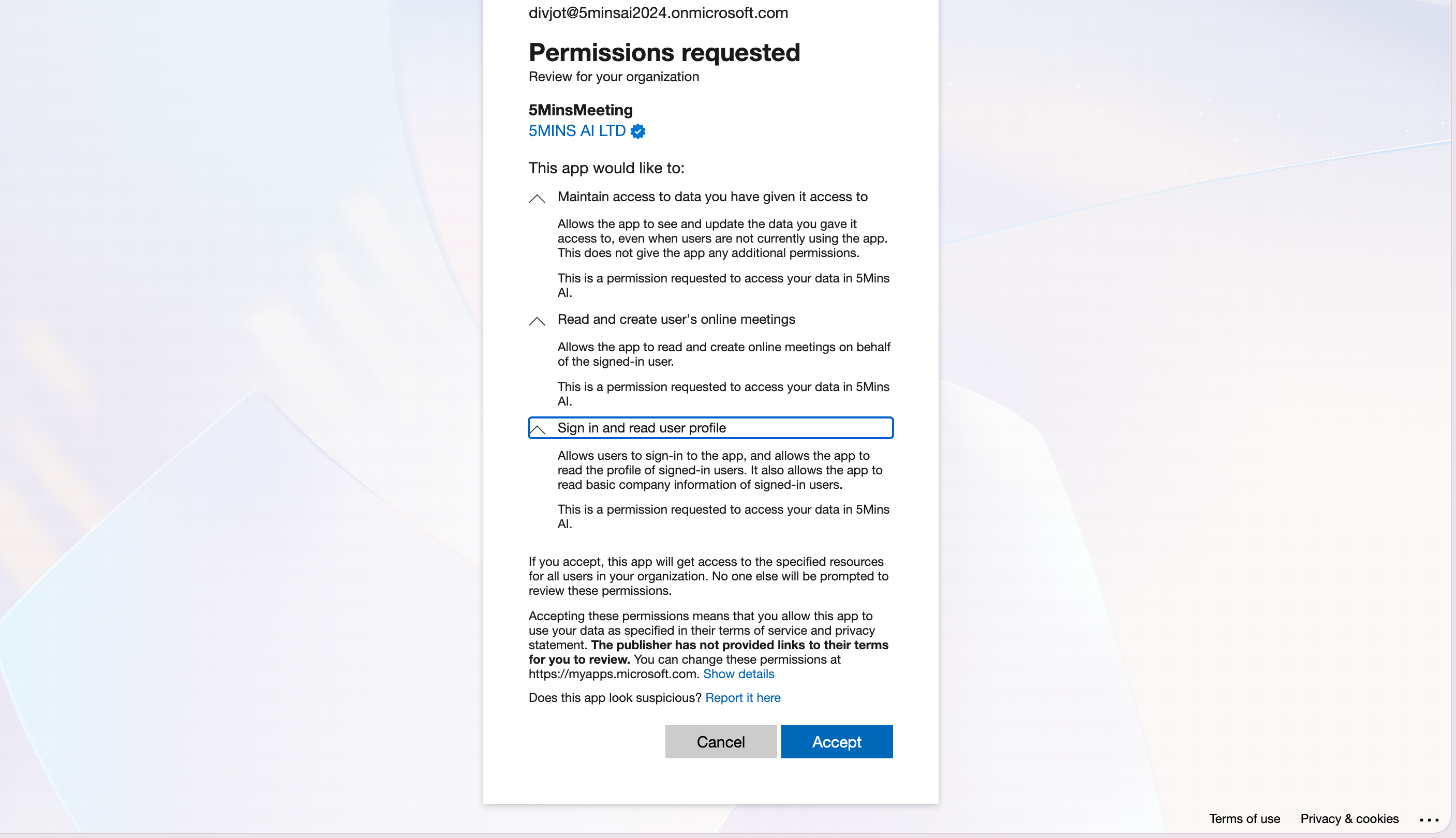
How to grant admin consent
Option 1 — Admin consent URL (recommended)
Open this URL while signed in as a Global Admin or Privileged Role Administrator, review the permissions, and accept on behalf of your organisation:
Once consented, end users will no longer see the consent prompt at sign-in for the admin-consentable scopes.
Option 2 — Entra admin centre
Sign in to https://entra.microsoft.com
Navigate to Identity → Applications → Enterprise applications
Search for 5MinsMeeting (App ID:
fa91f0b5-ac8c-475e-93cf-e39d9ae875c3)Open Permissions in the left nav
Click Grant admin consent for [your organisation]
Important: there are two tabs — Admin consent and User consent. If your tenant has user consent disabled (common in security-conscious orgs), grant consent on the User consent tab as well to suppress the
User.Readprompt.
Option 3 — Consent during first sign-in
When your first admin signs in to the 5Mins.ai Teams integration, they'll see the consent screen. If they're a Global Admin, they can tick "Consent on behalf of your organization" before accepting.
Revoking access
You can revoke consent at any time:
Entra admin centre → Enterprise applications → 5MinsMeeting → Permissions → review and remove individual permissions, or
Enterprise applications → 5MinsMeeting → Properties → Delete to remove the app entirely
Individual users can revoke at myapps.microsoft.com
Revoking will disable the Teams meeting feature in 5Mins.ai but won't affect the rest of the platform.
Security & Compliance notes
Delegated permissions only. No background service principal acts on your tenant.
Scoped to meetings. We can only create/read meetings created by the admin; we cannot read existing calendar events, mailboxes, or other users' data.
Tokens. Access tokens are short-lived (1 hour); refresh tokens are stored encrypted at rest in our infrastructure.