Profile and Settings ⚙️
Accessing Your Settings 🎯
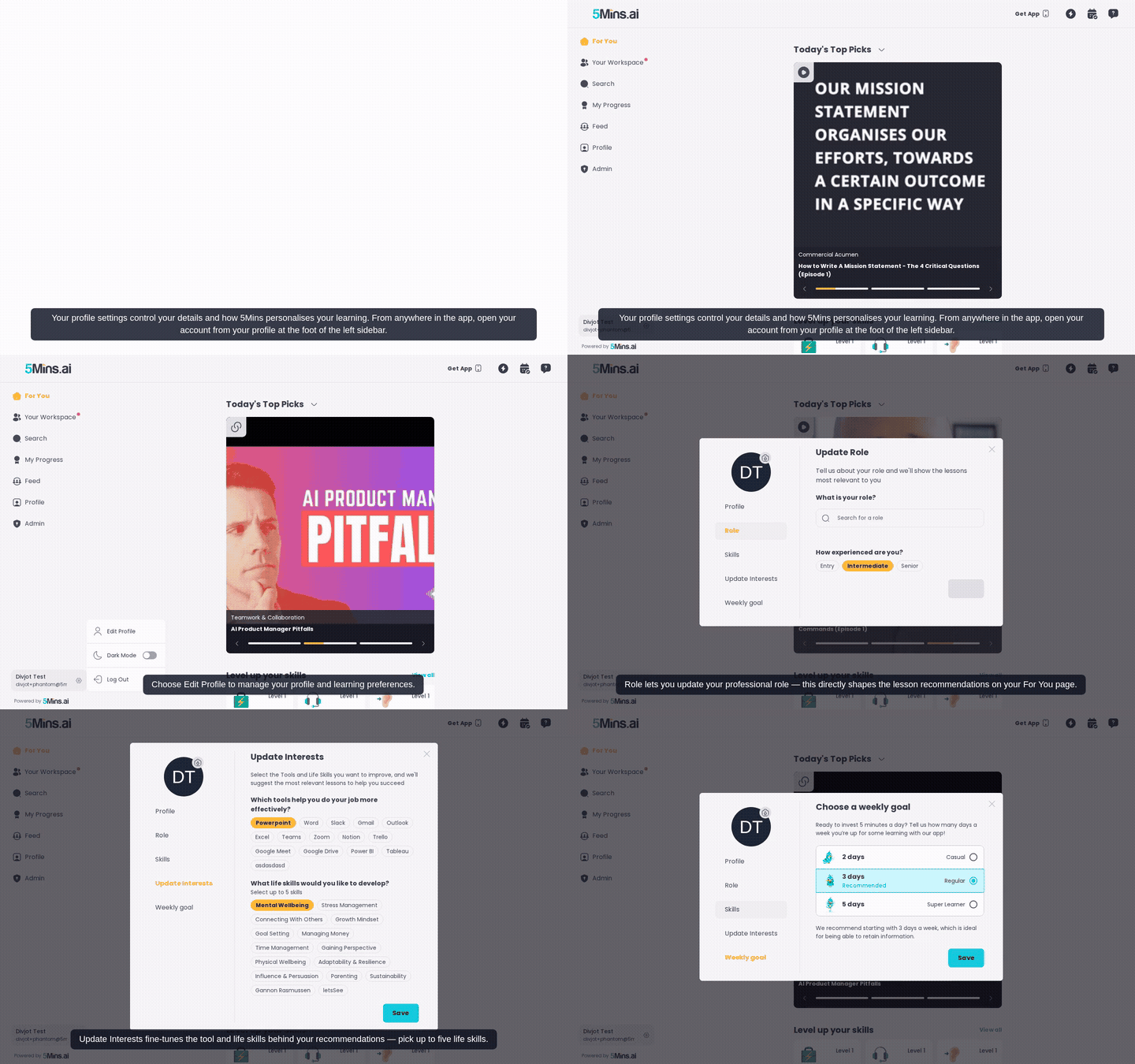
To manage your profile and learning preferences, click on your profile avatar in the top navigation, then select "Settings" from the dropdown menu. On mobile, you'll see the settings as a full list, while on desktop you'll have a sidebar with navigation options to easily switch between different setting categories.
Profile Information 👤
You can update your basic profile information in the Profile section:
First Name and Last Name: You can edit both your first and last names - both fields are required
Profile Picture: You can click on your avatar to upload a new profile image or change your profile color to personalize your account
When you make changes, you'll see a "Save" button that confirms your updates with a "Name updated successfully" message
Role Settings 💼
You can update your professional role which directly impacts your learning experience:
Update Role: You can change your professional role selection at any time
This affects the lesson recommendations you see on your For You page
You'll use the same interface as during onboarding to select your role
Skills Management 🛠️
You can manage both types of skills that help personalize your learning:
Update Skills: You can manage both your hard skills and soft skills
Hard Skills: You can select technical tools and technologies you want to develop
Soft Skills: You can choose personal development and interpersonal abilities to improve
You'll use the same skill selection interface from onboarding
Click "Update Skills" to see your current selections and modify them as your interests evolve
Interests ❤️
You can fine-tune your learning interests in two categories:
Tool Skills: You'll answer "Which tools help you do your job more effectively?" to get relevant recommendations
Life Skills: You can select "What life skills would you like to develop?" with a maximum of 5 skills
You'll use checkbox selections with small chips for easy browsing
When you save changes, you'll see confirmation: "Interests updated successfully"
Weekly Learning Goal 🎯
You can set your learning commitment to help maintain consistency:
Goal Setting: You'll see the prompt "Ready to invest 5 minutes a day? Tell us how many days a week you're up for some learning with our app!"
You can choose from goal options that update their descriptions based on your selection
This helps with streak tracking and ensures you receive appropriate daily learning reminders
Common Questions ❓
Q: Can I change my email address? A: You'll need to handle email changes through your login provider (Google, Microsoft, Apple) or contact support@5mins.ai for email/password accounts.
Q: How do I reset my password? A: You can use the password reset option on the login page for email/password accounts. For SSO logins, you'll manage passwords through those services.
Q: Do my setting changes affect recommendations immediately? A: Yes, when you update your role, skills, and interests, you'll see the changes reflected in your For You page recommendations. You have to restart the the app / refresh the web app to see the changes.
Q: I need help with my settings A: You can contact support@5mins.ai for assistance with any profile or settings issues.